


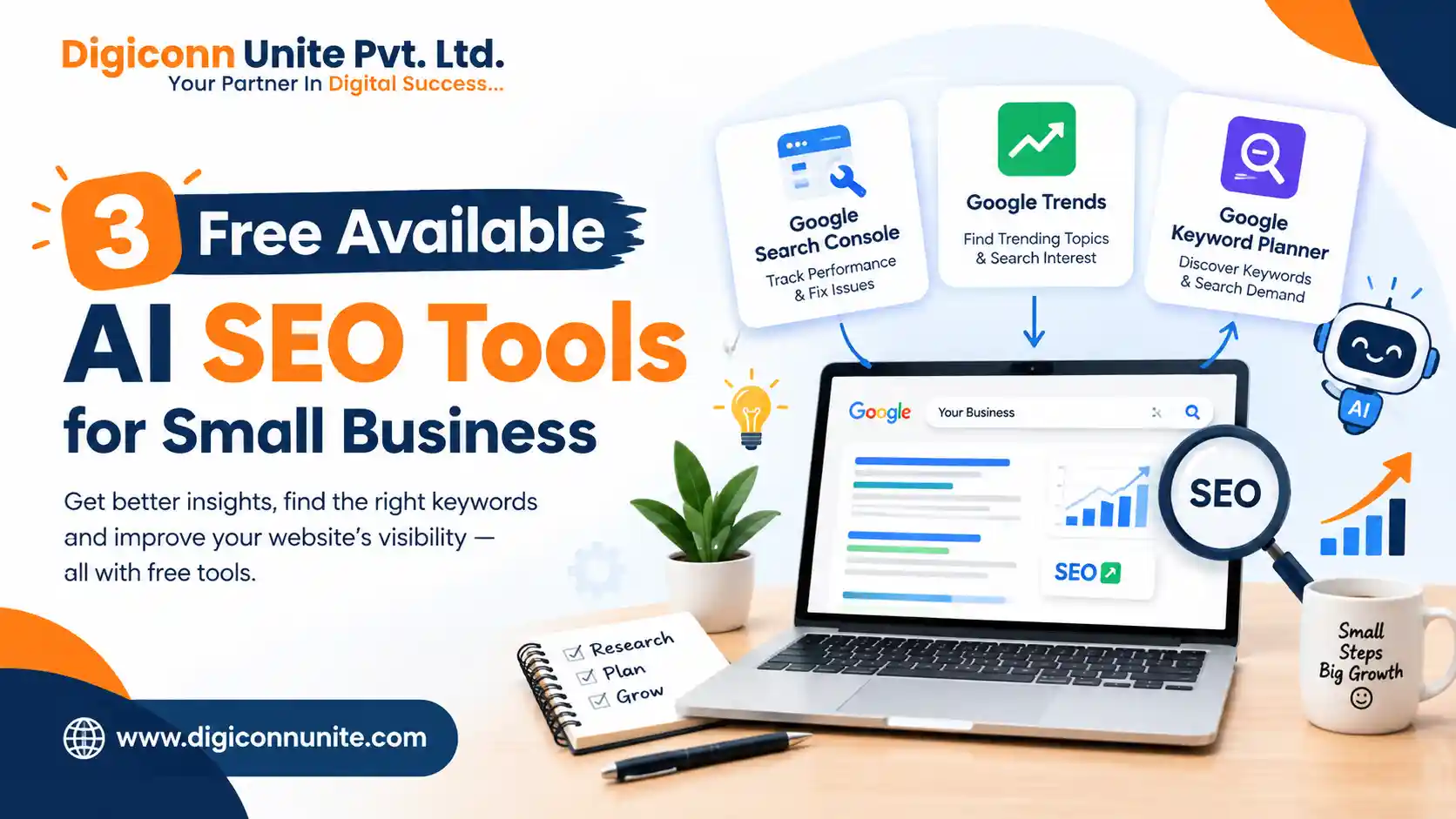
Looking for free AI SEO tools for your small business? You can start with tools such as Google Search Console, Google Trends, and Google Keyword Planner. They can help you understand search performance, discover topics, research keywords, and make better SEO decisions without immediately paying for an expensive SEO platform.
For a small business, the important point is not to collect dozens of tools. It is to use a few reliable tools properly and turn their data into useful website improvements. Google itself recommends Search Console for monitoring how a site performs in Search, while Google Trends helps users explore search interest and trending topics.
Key Takeaways
- Google Search Console helps you understand how your website performs in Google Search.
- Google Trends helps discover search interest, rising topics and seasonal demand.
- Google Keyword Planner can help with keyword discovery and search advertising research.
- AI can make SEO research faster, but it should not replace human judgement.
- Free tools are enough to start a practical SEO process for many small businesses.
- The best results come from combining tool data with useful, original website content.
What Are the 3 Free AI SEO Tools for Small Businesses?
If you want a simple starting point, these three tools are worth considering:
- Google Search Console – for analysing your existing website's Google Search performance.
- Google Trends – for researching search interest and finding relevant topics.
- Google Keyword Planner – for discovering keyword ideas and researching search demand.
One important clarification: these are free Google SEO and search research tools, but they are not all generative-AI tools. They are included here because small businesses often need practical search data more than an AI writing tool.
1. How Can Google Search Console Help With SEO?
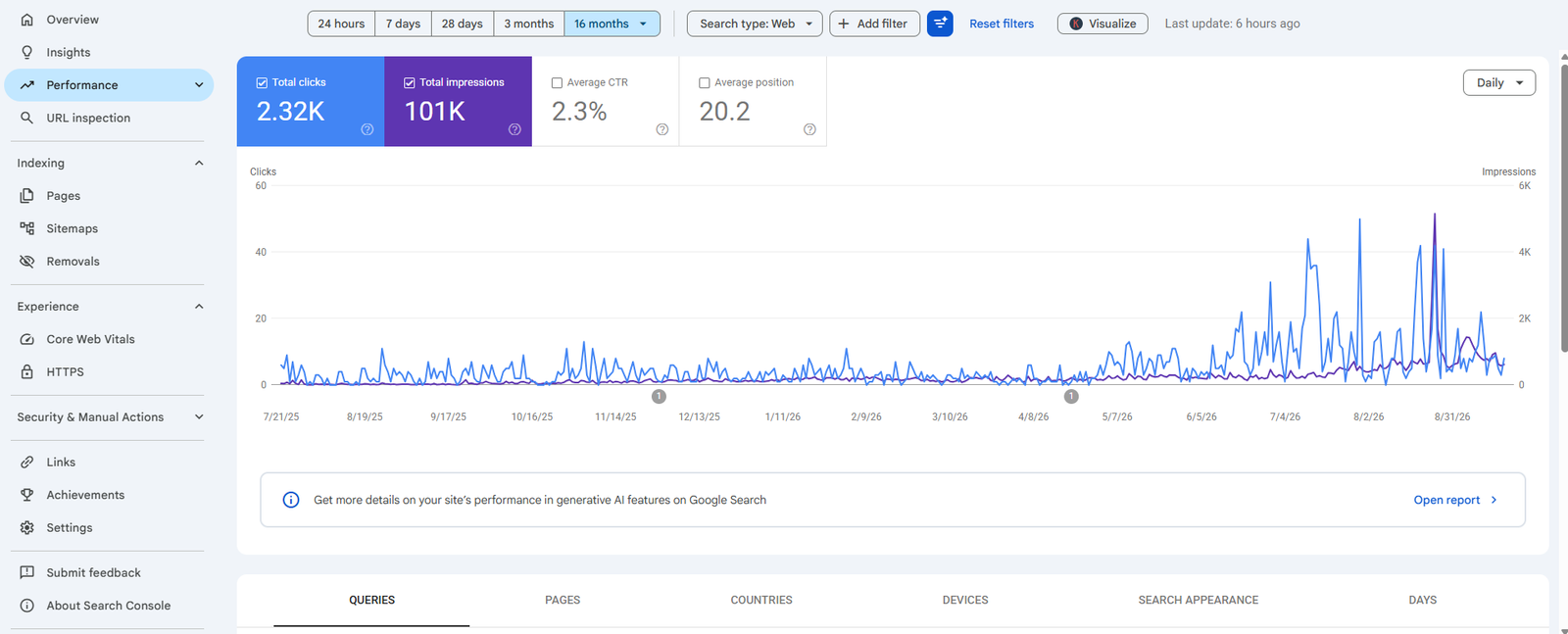
Google Search Console is one of the most useful free tools for a business that already has a website.
It helps you understand how Google Search users discover your pages. You can use it to monitor search performance, inspect indexing issues and identify opportunities for improvement. Google says Search Console can help site owners understand how Google sees their websites and monitor their performance in Search.
What Can You Check in Search Console?
You can review information such as:
- Search queries bringing impressions
- Clicks from Google Search
- Click-through rate
- Average search position
- Indexed pages
- Indexing problems
- Sitemap status
- Search performance by page
- Search performance over time
How Should a Small Business Use It?
Suppose your website receives 1,000 impressions for a service-related query but only a small number of clicks.
That can give you a reason to investigate the page title, description, search intent and actual page content.
Similarly, if a page receives impressions but is not generating enquiries, the problem may not simply be rankings. The page may need clearer information, stronger trust signals or a better conversion path.
Best use: Find what is already working and identify pages that need improvement.
2. How Does Google Trends Help With SEO?
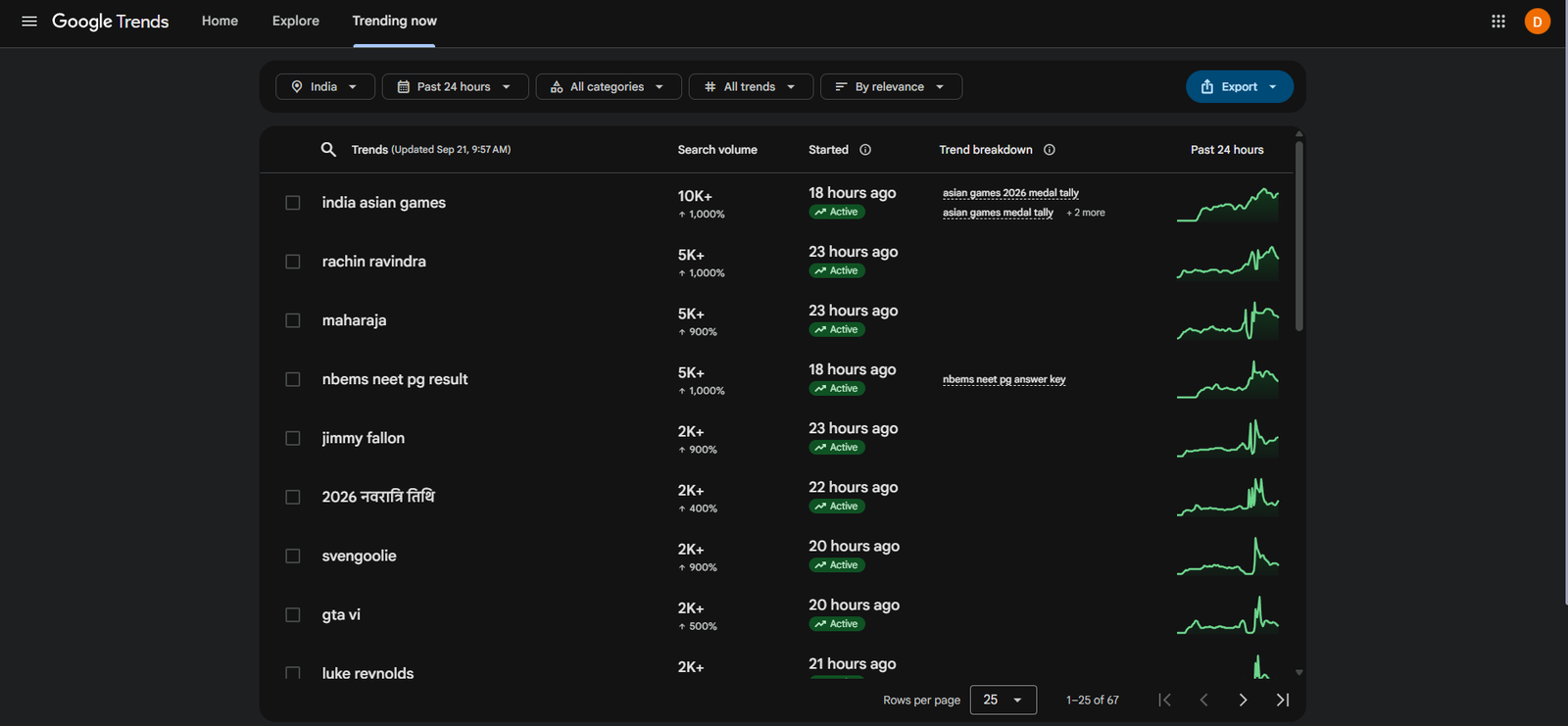
Google Trends is useful when you want to understand what people are searching for and how interest changes over time.
Google describes Trends as a tool for exploring what the world is searching for and provides features for analysing search interest and trending topics.
What Can You Research With Google Trends?
You can compare topics and investigate:
- Search interest over time
- Seasonal trends
- Related topics
- Related searches
- Regional interest
- Rising search topics
- Current trending searches
For example, a local business could compare two related service topics before deciding which one deserves a detailed article.
How Can Trends Help With Content Planning?
Imagine a small business wants to publish articles about digital marketing.
Instead of randomly selecting topics, the business can use Trends to investigate related subjects and understand whether interest changes during particular periods.
This does not guarantee rankings. It simply provides useful search-interest data that can support better content planning.
Why Is This Useful for Small Businesses?
Small businesses often have limited time and resources.
Google Trends can help them avoid spending weeks creating content around topics with little relevance to their audience.
Best use: Discover topics, compare search interest and identify seasonal opportunities.
3. How Can Google Keyword Planner Help With Keyword Research?
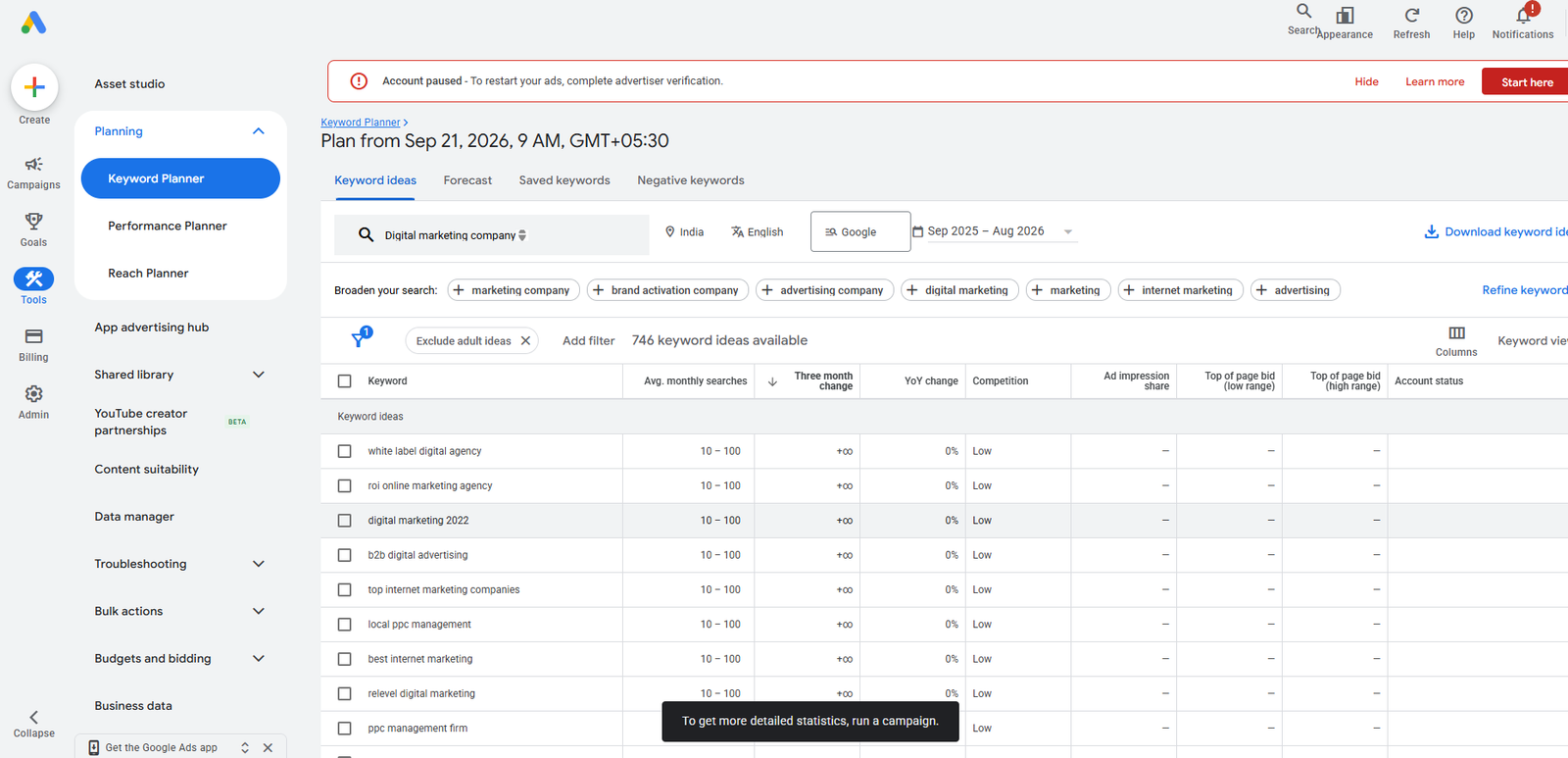
Google Keyword Planner is primarily designed for Google Ads keyword research, but it can also help businesses understand keyword ideas and search demand when planning their SEO strategy.
You can use keyword research to identify phrases related to your products and services.
For example, a business offering web development might research terms related to:
- Website development services
- Website development company
- Custom website development
- E-commerce website development
- Website design services
The objective is not to insert every keyword into one page.
Instead, group related searches according to search intent and create content that genuinely answers the user's need.
What Makes Keyword Research Useful?
Keyword research can help you understand:
- What people search for
- How specific a search is
- Which topics relate to your services
- Which keywords may have commercial intent
- What questions could become content topics
Best use: Build keyword lists and map relevant search terms to appropriate website pages.
Are These Tools Really Enough for Small Business SEO?
For getting started, they can provide a strong foundation.
However, SEO does not work by simply collecting keywords from a tool.
You still need to:
- Understand your customers.
- Analyse search intent.
- Create useful content.
- Improve technical SEO.
- Build a clear website structure.
- Monitor performance.
- Update content when needed.
Google's current Search guidance continues to emphasise following Search Essentials and creating websites that work well for users.
How Can AI Improve the SEO Workflow?
AI can be useful alongside these tools.
For example, after collecting keyword and Search Console data, AI can help you:
- Group similar keywords
- Generate content outlines
- Find questions that need answering
- Suggest internal linking opportunities
- Summarise large datasets
- Identify content gaps
- Create initial title ideas
- Turn research into a structured content plan
But AI output still needs human review.
A business should verify important facts, remove unsupported claims and make sure the final content reflects its actual expertise and services.
What Is the Difference Between AI SEO and Traditional SEO?
Traditional SEO focuses heavily on areas such as:
- Keyword research
- Technical optimisation
- Content
- Links
- Search rankings
- Website structure
AI-assisted SEO can speed up parts of this workflow, especially research, analysis and content organisation.
However, the fundamental objective remains the same: help users find accurate and useful information.
Google's Search documentation also provides guidance around AI features and explains that structured data can help Google understand page content when implemented correctly.
Can These Tools Help With AI Overviews?
They can support the research and content process, but no free SEO tool can guarantee that a page will appear in an AI Overview.
Google's current documentation says AI Overviews are included in Search Console's Performance reporting, and Google has also introduced preferred-source functionality for AI Mode and AI Overviews in eligible situations.
For content intended to perform well in both traditional Search and AI-powered search experiences, focus on:
- Direct answers
- Clear headings
- Accurate information
- Useful explanations
- Strong topical context
- Original insights
- Logical internal links
- Good page structure
How Can a Small Business Use These 3 Tools Together?
A simple workflow looks like this:
Step 1: Use Google Trends
Find topics relevant to your products, services and audience.
Step 2: Use Keyword Planner
Research related keyword ideas and group them according to search intent.
Step 3: Check Search Console
If your website already has traffic, find queries and pages that are already receiving impressions.
Step 4: Create or Improve the Page
Write content that directly addresses the user's question instead of simply repeating keywords.
Step 5: Monitor the Results
Return to Search Console and check how the page performs after it has been indexed.
This creates a continuous research → content → measurement → improvement cycle.
Do Small Businesses Need Expensive SEO Software?
Not necessarily.
Paid SEO platforms can provide additional features, larger datasets and advanced competitor research. They may become useful as a business grows.
But a small business starting SEO does not need to purchase multiple subscriptions before understanding its own website.
Starting with reliable free tools can help establish a basic SEO process first.
What Should Small Businesses Avoid When Using AI for SEO?
Avoid creating hundreds of pages simply because an AI tool can produce them quickly.
Also avoid:
- Keyword stuffing
- Copying competitor content
- Publishing unverified information
- Creating pages with little original value
- Automatically rewriting the same content repeatedly
- Targeting irrelevant keywords
- Using AI output without editing
The purpose of AI should be to make your SEO workflow more efficient, not to replace useful human input.
How Can an SEO Consultant Help?
Tools provide information, but they do not automatically tell you what your business should prioritise.
An Agra SEO consultant in Agra can help interpret search data, identify technical and content issues, map keywords to pages, improve local visibility and create an SEO plan based on the business's actual goals.
For example, Search Console may show that a page is receiving impressions but few clicks. An SEO professional can investigate whether the problem relates to the search intent, title, content quality, competition or another factor.
How Does Digiconn Unite Approach AI-Assisted SEO?
Digiconn Unite uses SEO research, website data and content strategy to help businesses make more informed digital marketing decisions.
The focus should not be on using AI simply because it is available. The focus should be on using the right technology to research faster, understand users better and improve the quality of the final website experience.
Final Answer: What Are the 3 Free Available AI SEO Tools?
For a small business starting SEO, these three free tools provide a practical foundation:
1. Google Search Console — monitor your website's Google Search performance and identify areas for improvement.
2. Google Trends — research search interest, trending topics and changes in demand.
3. Google Keyword Planner — discover keyword ideas and research terms relevant to your products and services.
The important thing is not simply having access to these tools. Use their data to create better pages, answer real customer questions and improve existing content. That people-first approach is more useful than producing large amounts of AI-generated text simply to target search queries.
Our Social Links:
Related Topics
Explore more about seo:
