



CTA Full Form: Call to Action
In digital marketing, a CTA or Call to Action is a word, phrase, button, link, or other prompt that tells users what they should do next. Common examples include Buy Now, Sign Up, Download Now, Get Started, and Contact Us.
A CTA is used to guide a visitor towards a specific action. That action could be making a purchase, filling out a form, subscribing to a newsletter, downloading a guide, booking a consultation, or simply reading another page.
What Does CTA Mean in Digital Marketing?
CTA stands for Call to Action.
It is an instruction that encourages a user to take a specific next step. A CTA can appear on a website, landing page, blog post, Google ad, social media post, email, or mobile application.
For example, imagine that you have written a useful blog about SEO. After reading the article, the visitor may not know what to do next. A CTA can guide them with a message such as:
Get a Free SEO Audit
The CTA gives the user a clear direction.
What Is the Purpose of a CTA?
The main purpose of a Call to Action is to turn attention into action.
A business may spend time and money bringing visitors to its website through SEO, paid advertising, social media, or email marketing. However, traffic alone does not automatically generate leads or sales.
A CTA helps connect the content or marketing message with a measurable next step.
For example:
-
A blog post may use Read the Complete Guide
-
An e-commerce website may use Add to Cart
-
A service page may use Request a Quote
-
An email may use Download the Report
-
A software website may use Start Your Free Trial
The right CTA depends on what the business wants the user to do next.
What Are Some Common CTA Examples?
Here are some of the most commonly used Call to Action examples in digital marketing:
For Lead Generation
-
Get a Free Quote
-
Book a Free Consultation
-
Request a Callback
-
Contact Us Today
-
Get Your Free Audit
For Sales
-
Buy Now
-
Shop Now
-
Add to Cart
-
Order Today
-
Start Shopping
For Email Marketing
-
Subscribe Now
-
Join Our Newsletter
-
Get Updates
-
Sign Up Free
-
Download the Guide
For Websites and Services
-
Learn More
-
Get Started
-
View Our Services
-
Talk to an Expert
-
Request a Demo
For Content Marketing
-
Read More
-
Explore the Guide
-
Check the Full Article
-
Download the Checklist
-
Discover More
The best CTA is not always the most aggressive one. It should match the user's needs and their stage in the customer journey.
What Are the Different Types of CTA?
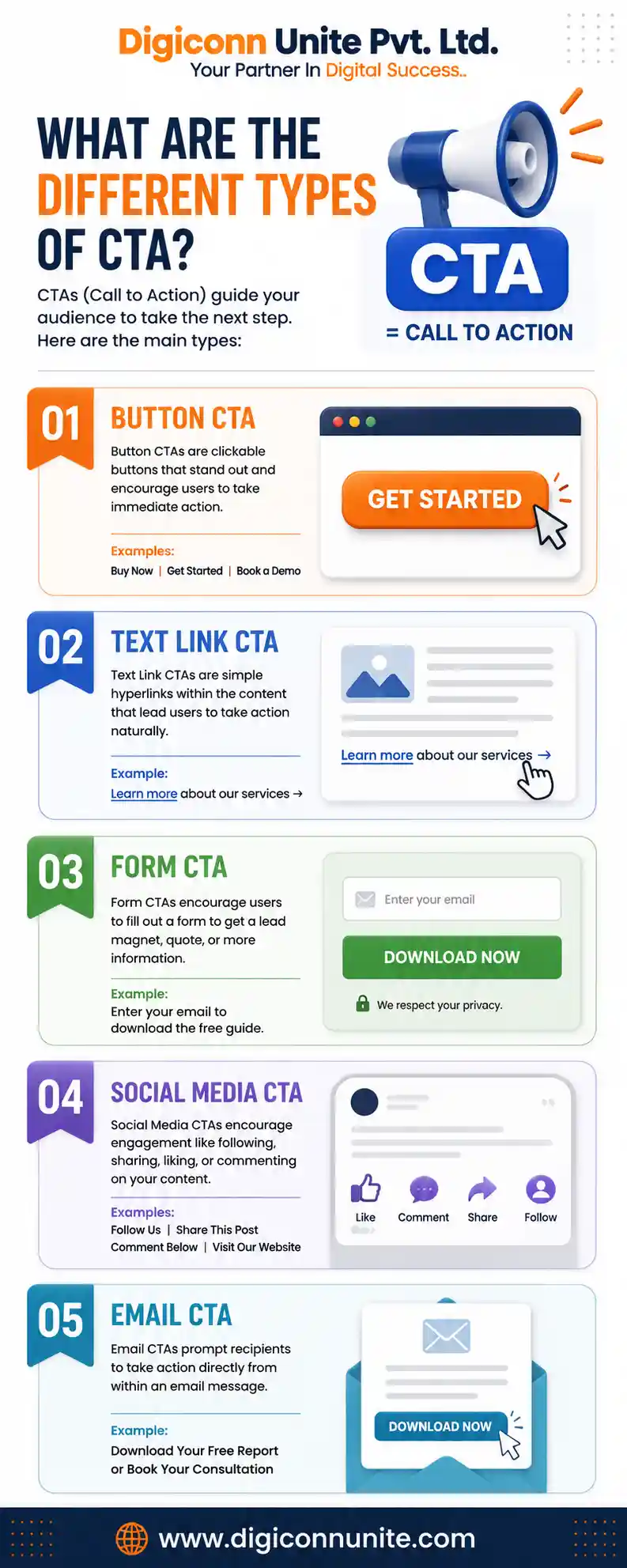
A CTA does not have to be a colourful button. It can appear in several forms.
Button CTA
This is one of the most common types.
Examples include:
Get Started
Buy Now
Book a Demo
Button CTAs are usually placed where the user can easily notice and click them.
Text Link CTA
A CTA can also be a clickable text link within a paragraph.
For example:
Learn more about our SEO services.
This type of CTA often works naturally within blog posts and informational content.
Form CTA
A form itself can encourage users to take action.
For example:
Enter your email to receive the free guide.
This type is commonly used for lead generation and email list building.
Social Media CTA
Social platforms also use Calls to Action.
Examples include:
-
Follow Us
-
Comment Below
-
Share This Post
-
Visit Our Website
-
Send Us a Message
Email CTA
An email CTA encourages the recipient to take the next step after reading the message.
For example:
Download Your Free Report
or
Book Your Consultation
A CTA can therefore be a button, link, form prompt, image, or even a clear written instruction.
You May Like Also: How Does Digital Marketing Work for a B2B Company?
Why Is CTA Important in Digital Marketing?
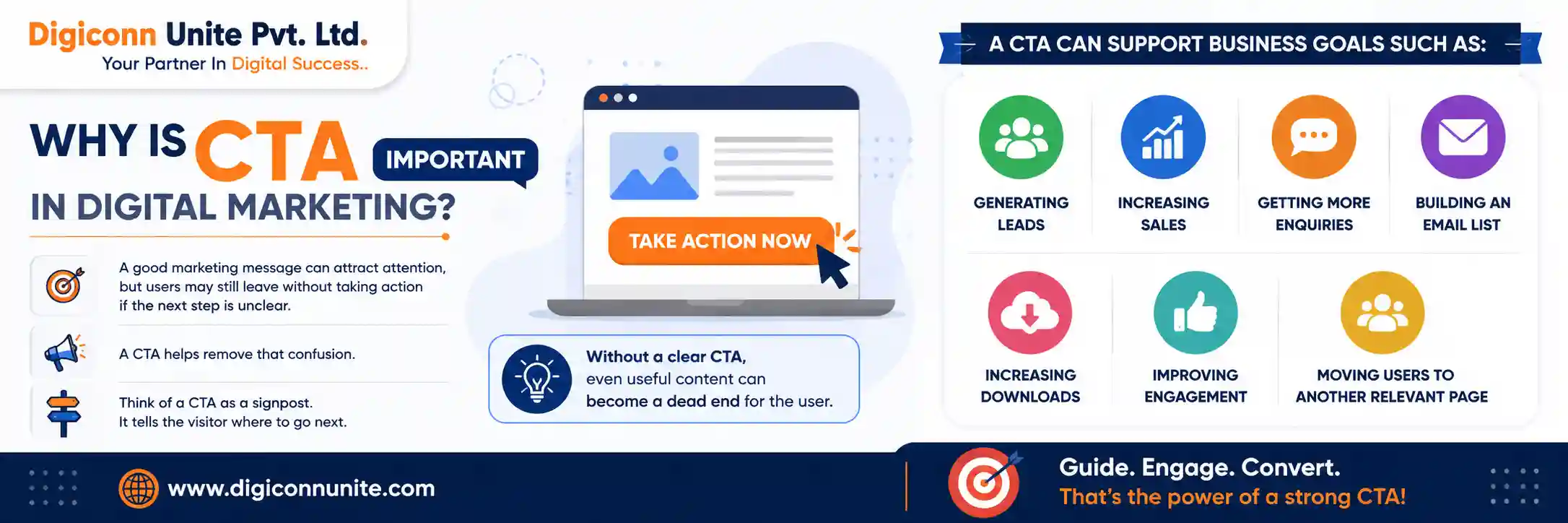
A good marketing message can attract attention, but users may still leave without taking action if the next step is unclear.
A CTA helps remove that confusion.
It can support business goals such as:
-
Generating leads
-
Increasing sales
-
Getting more enquiries
-
Building an email list
-
Increasing downloads
-
Improving engagement
-
Moving users to another relevant page
Think of a CTA as a signpost. It tells the visitor where to go next.
Without a clear CTA, even useful content can become a dead end for the user.
Where Should You Place a CTA?
CTA placement depends on the type of page and the user's intent.
At the Top of a Landing Page
If visitors already have strong buying intent, placing a CTA near the top can make it easier for them to take action immediately.
For example:
Request a Free Quote
Within the Content
A CTA can be placed naturally after explaining an important point.
For example, after discussing the benefits of a service, you could add:
Talk to Our Team to Learn More
At the End of a Blog Post
A reader who has finished an article may be ready for the next step.
Depending on the topic, the CTA could suggest:
-
A related article
-
A free resource
-
A service
-
A consultation
-
A newsletter subscription
In a Sticky Header or Important Website Section
Some websites use visible CTAs such as Contact Us or Get a Quote throughout the user's journey.
The key is not to place buttons everywhere. The CTA should appear where it makes sense and helps the user continue.
How Do You Write an Effective CTA?
A good CTA should be clear and specific.
Compare these two examples:
Click Here
and
Download Your Free SEO Checklist
The second option tells the user exactly what they will receive.
Effective CTAs often include three important elements.
1. Use an Action Word
Start with a clear action.
Examples:
-
Get
-
Download
-
Start
-
Book
-
Join
-
Explore
-
Shop
-
Request
Action-oriented language makes the purpose of the CTA easier to understand.
2. Explain the Benefit
Tell the user what they will get.
Instead of:
Submit
Try:
Get Your Free Website Audit
Instead of:
Learn More
Try:
Explore Our SEO Strategy Guide
Specific CTA language can create clearer expectations for the user.
3. Match the CTA to User Intent
A first-time visitor reading an educational blog may not be ready to Buy Now.
A better option may be:
Read the Complete Guide
or:
Download the Free Checklist
On the other hand, a user visiting a service or pricing page may be closer to making a decision and could respond better to:
Request a Quote
Matching the CTA to the user's stage and context is an important part of effective marketing.
What Makes a CTA Button Effective?
The words on a button are important, but usability also matters.
A CTA should be:
-
Easy to notice
-
Clear to understand
-
Easy to click or tap
-
Relevant to the surrounding content
-
Linked to the correct destination
The action should also be clear to the user. Google's own interface guidance emphasises clear labels and focusing instructions on the user's goal.
For example, if a button says Download Free Guide, the user should reach the guide or a clear download process—not an unrelated page.
What Is the Difference Between CTA and CTR?
These two terms are related but have different meanings.
CTA
CTA stands for Call to Action.
It is the instruction that encourages the user to take action.
Example:
Start Your Free Trial
CTR
CTR stands for Click-Through Rate.
It is a metric that measures how often people click after seeing a link, advertisement, or CTA.
For example, if 100 people see an advertisement and 5 people click it, the CTR is 5%.
In simple words:
CTA = The action prompt
CTR = A metric that can measure clicks
Can a CTA Improve Conversion Rate?
Yes, a well-planned CTA can help improve conversions by making the next action clear and relevant.
However, changing a button from Learn More to Get Started does not automatically guarantee better results.
CTA performance can depend on several factors, including:
-
Page content
-
User intent
-
Offer
-
CTA wording
-
Placement
-
Website usability
-
Mobile experience
-
Audience
One practical way to improve CTA performance is to test different versions. For example, a business can compare two different messages or placements and analyse which version produces better results. A/B testing is commonly used to evaluate and optimise CTA performance.
CTA Examples for Different Businesses
For an SEO Company
-
Get a Free SEO Audit
-
Improve Your Google Visibility
-
Request an SEO Consultation
For an E-commerce Store
-
Shop the Collection
-
Add to Cart
-
Buy Now
For a Website Design Company
-
Get a Website Quote
-
Start Your Website Project
-
View Our Portfolio
For a Mobile App Development Company
-
Discuss Your App Idea
-
Request an App Development Quote
-
Start Your Project
For an Educational Website
-
Enrol Now
-
Download the Course Guide
-
Start Learning
The CTA should always support the main goal of the page.
Common CTA Mistakes to Avoid
Using Too Many CTAs
Too many different actions can confuse visitors.
If a page asks users to:
-
Call now
-
Subscribe
-
Download
-
Buy
-
Follow
-
Register
all at the same time, the visitor may not know what to do.
Choose one primary action and use secondary CTAs only when they are genuinely useful.
Using Vague Words
Generic phrases such as Click Here may not explain the value of the action.
A more descriptive CTA is often easier to understand.
Asking for Too Much Too Soon
Someone reading a beginner-level blog may not immediately want to schedule a sales call.
Offer a lower-commitment next step when appropriate.
Sending Users to an Irrelevant Page
The page after the click should match the promise made in the CTA.
If you say Download the SEO Guide, the user should not land on a general homepage.
Frequently Asked Questions About CTA in Digital Marketing
What is the full form of CTA?
CTA stands for Call to Action. In marketing, it refers to a prompt that encourages a user to take a specific action.
What is a CTA example?
Common CTA examples include Buy Now, Sign Up, Get Started, Download Now, and Contact Us.
What is a CTA button?
A CTA button is a clickable button designed to encourage users to take a specific action, such as making a purchase, booking a demo, or submitting an enquiry.
What is the difference between CTA and CTR?
CTA means Call to Action, while CTR means Click-Through Rate. A CTA encourages the action, while CTR measures clicks.
Where should a CTA be placed?
A CTA can be placed at the top of a landing page, within relevant content, near important information, or at the end of a blog post. The best placement depends on the page and user intent.
What is a good CTA?
A good CTA is clear, specific, relevant, and easy to understand. It should tell the user what action to take and, where possible, explain the benefit of taking that action.
Conclusion
The CTA full form in digital marketing is Call to Action. It is one of the simplest but most important elements of a marketing strategy because it tells users what to do next.
Whether your goal is to generate leads, increase sales, gain newsletter subscribers, or encourage content engagement, a clear CTA can help guide users towards the next step.
The best approach is simple: understand what your visitor wants, decide what action makes sense, and present that action clearly. Instead of adding a CTA just because every website has one, make it relevant to the content and useful for the person reading it.
Related Topics
Explore more about digital marketing:
