


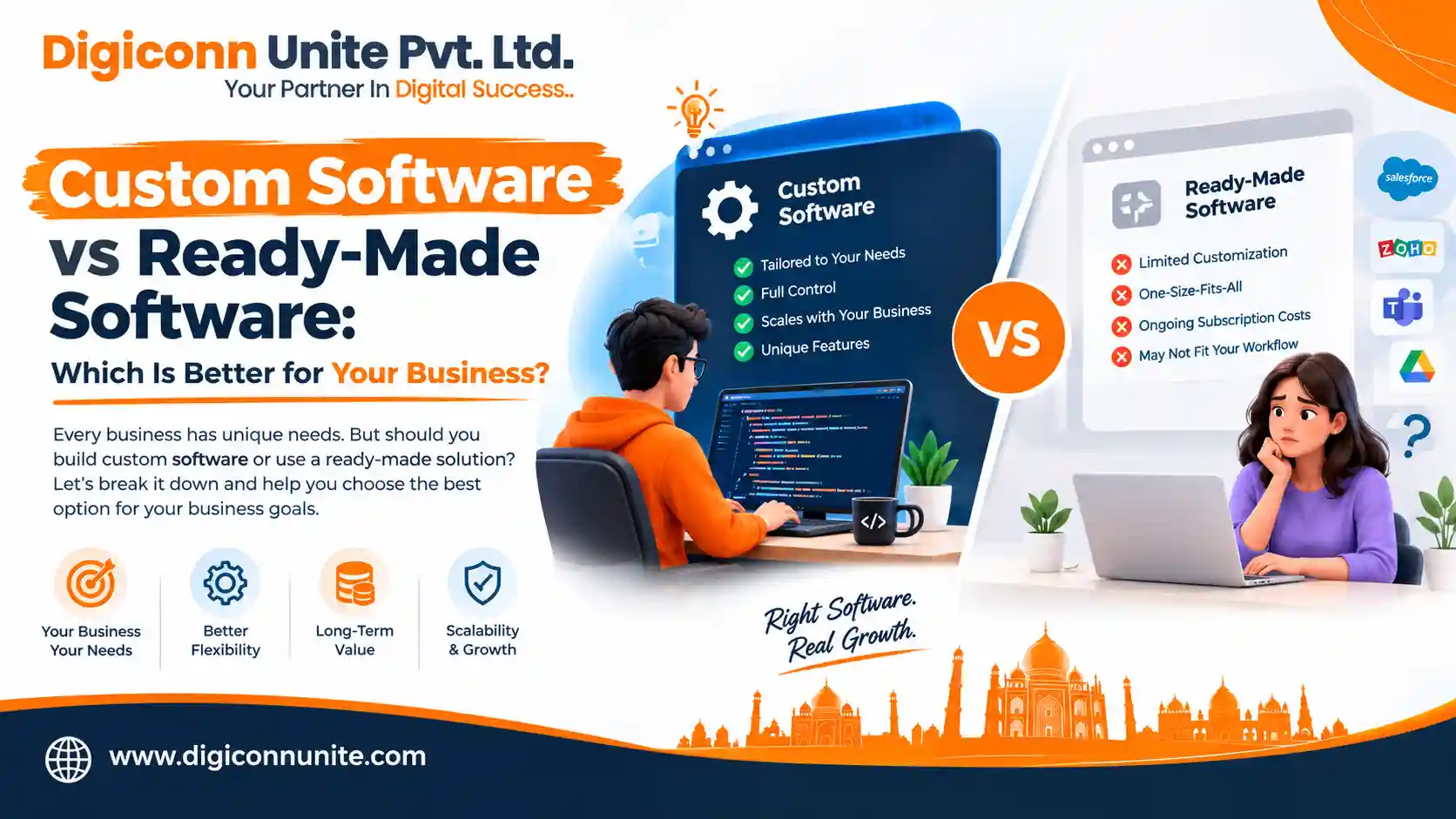
Choosing the right software can affect your business costs, employee productivity, customer experience and ability to grow. Some businesses work well with ready-made tools, while others need software designed around their specific operations.
Understanding Custom Software vs Ready-Made Software helps you decide which option fits your business requirements, budget and long-term goals. The right choice depends on what your business needs today, how it plans to grow, and how well existing software supports your daily work.
In this guide, we compare both options across important factors, including cost, development time, flexibility, security, integrations, scalability and maintenance. You will also learn when a combination of both approaches makes sense.
Quick Answer: Custom Software vs Ready-Made Software
Custom software is generally better for businesses with unique workflows, specialised requirements, complex integrations or a need for greater control. Ready-made software is usually better when you need standard features quickly and want to keep initial costs low.
Custom software is developed around your business processes. Ready-made software is a pre-built product that multiple businesses can purchase, subscribe to or use under a licence.
Neither option is automatically better. Your decision should depend on how well each solution meets your requirements and its total cost over time.
Need software designed around your business requirements? Digiconn Unite provides custom software development services in Agra to help businesses plan software solutions around their workflows, operational needs and growth goals. Discuss Your Software Requirements with Digiconn Unite.
Key Takeaways
-
Custom software is designed around your specific business requirements and workflows.
-
Ready-made software offers pre-built features and can often be implemented more quickly.
-
Custom software usually requires a larger initial investment and ongoing maintenance planning.
-
Ready-made software may have lower starting costs, but subscriptions, user licences and add-ons can increase long-term expenses.
-
Integration, data portability, security and vendor dependency should be considered before making a decision.
-
A hybrid approach can work well when standard tools handle everyday tasks and custom applications manage specialised operations.
-
The best solution is the one that delivers the right balance of functionality, cost, efficiency and future flexibility.
What Is Custom Software?
Custom software is an application developed specifically for an organisation, business model or group of users. It is designed to support particular workflows, solve operational problems and meet requirements that existing products may not handle effectively.
Unlike a general-purpose application, custom software can be planned around your business rules, user roles, data structure and integration requirements.
Examples of Custom Software
Businesses may invest in custom solutions such as:
-
Customer relationship management (CRM) systems tailored to their sales process.
-
Enterprise resource planning (ERP) applications for managing business operations.
-
Inventory and warehouse management systems.
-
Employee management and attendance applications.
-
Customer portals and vendor management platforms.
-
Booking, appointment and service management systems.
-
Logistics, delivery and order-tracking applications.
-
Business dashboards that combine data from different platforms.
For example, a distribution company may need software that connects stock management, order processing, delivery tracking and customer records. If available products cannot handle its specific workflows efficiently, custom development may offer a better fit.
Benefits of Custom Software
1. Designed around your workflow
The application can reflect how your business actually operates. This may reduce repetitive tasks, manual data entry and the need to switch between disconnected tools.
2. Greater flexibility
You can plan features according to your priorities. As requirements change, the software can be enhanced through additional development, subject to the system's architecture and available budget.
3. Integration with existing systems
Custom applications can be designed to exchange data with accounting software, payment gateways, websites, mobile applications, CRM platforms and other systems through supported APIs or other integration methods.
4. Control over development priorities
Your business can define which features should be developed first, which improvements matter most and how the product should evolve.
5. Potential long-term operational value
When software removes expensive manual processes or supports a valuable business capability, its long-term benefits may justify the initial investment.
Limitations of Custom Software
Custom development also involves risks that businesses should understand.
-
Higher initial development costs.
-
Longer planning, design, development and testing periods.
-
Responsibility for maintenance, hosting, updates and security.
-
Potential budget overruns if requirements keep changing.
-
Dependence on developers or internal technical staff.
-
Risk of technical debt if the application is poorly designed or maintained.
Custom software does not automatically provide better security or lower long-term costs. These outcomes depend on architecture, development quality, maintenance practices and how the software is managed.
Have a look also, to know Custom Software Development Cost in Agra.
What Is Ready-Made Software?
Ready-made software, also called off-the-shelf software or commercial off-the-shelf software (COTS), is developed for a broad group of customers rather than one specific business.
Businesses can purchase a licence, subscribe to a cloud-based service or install a product to access its existing features.
These products commonly include configuration options, user management, reporting and integrations. However, the level of customisation depends on the product and subscription plan.
Examples of Ready-Made Software
Common examples include:
-
Accounting and invoicing software.
-
Standard CRM applications.
-
Email marketing platforms.
-
Project management tools.
-
Human resource management software.
-
E-commerce platforms.
-
Office productivity applications.
-
Customer support and helpdesk tools.
For example, a small business that needs basic invoicing, expense tracking and tax reports may find that an established accounting product meets its needs without requiring a separate software development project.
Benefits of Ready-Made Software
1. Faster implementation
The product already exists, so your business can often begin using it after purchasing a subscription, configuring settings and importing the required data.
2. Lower initial investment
Many products offer monthly or annual subscriptions instead of requiring a substantial upfront development budget.
3. Existing features
You can access established functionality without paying to develop every feature from the beginning.
4. Vendor-managed updates
The provider generally manages product updates and platform maintenance. The exact responsibilities depend on the software agreement and deployment model.
5. Documentation and support
Popular products may provide tutorials, user communities, technical documentation and customer support.
Limitations of Ready-Made Software
Ready-made solutions can become restrictive when business requirements differ from the product's intended use.
-
Customisation may be limited to supported settings and features.
-
Subscription fees may increase as your team grows.
-
Advanced features may require more expensive plans.
-
Integrations may depend on APIs, third-party connectors or additional fees.
-
Your business may need to change its workflow to match the software.
-
Data export and migration options may be limited.
-
Product updates, pricing and feature availability are controlled by the vendor.
These limitations do not make ready-made software a poor choice. They simply mean that businesses should evaluate the product against their actual requirements before committing.
Custom Software vs Ready-Made Software: Comparison Table
The following table summarises the major differences.
| Comparison factor | Custom software | Ready-made software |
|---|---|---|
| Development approach | Built for specific requirements | Pre-built for a wider market |
| Initial cost | Generally higher | Often lower |
| Implementation time | Usually longer | Often faster |
| Customisation | Can be tailored to agreed requirements | Limited by product capabilities |
| Scalability | Depends on architecture and development planning | Depends on vendor capacity, product limits and pricing |
| Integration | Can be designed for required integrations | Depends on supported connectors and APIs |
| Security | Requires secure design and ongoing management | Depends on vendor controls, configuration and responsibilities |
| Maintenance | Managed internally or through a development partner | Generally handled by the vendor for the core product |
| Updates | Planned around business priorities | Controlled by the vendor's release schedule |
| Ownership | Code ownership depends on the contract | Usually a licence or subscription |
| Vendor dependency | Depends on technical documentation and developer arrangements | Depends on the provider and migration options |
| Best suited for | Specialised workflows and strategic requirements | Common business functions and standard processes |
Important: These are general differences, not guarantees. Some ready-made platforms offer extensive customisation, while poorly planned custom applications can be difficult to maintain or scale.
1. Cost: Which Option Is More Affordable?
Cost is often the first consideration when comparing custom software and ready-made solutions. However, the cheapest option at the beginning may not be the most economical over several years.
Custom Software Costs
Custom software may involve expenses for:
-
Business analysis and requirements gathering.
-
User experience (UX) and user interface (UI) design.
-
Software architecture and development.
-
Testing and quality assurance.
-
Third-party services and integrations.
-
Cloud hosting and infrastructure.
-
Security reviews and ongoing maintenance.
-
Future enhancements and technical support.
These expenses depend on the complexity of the project, the number of features, integration requirements and the development team's expertise.
Ready-Made Software Costs
Ready-made products may include:
-
Monthly or annual subscription fees.
-
Per-user or per-seat charges.
-
Setup and implementation fees.
-
Premium feature upgrades.
-
Integration and migration expenses.
-
Training and support charges.
-
Additional costs as usage increases.
A basic subscription can be economical for a small team. However, businesses with many users or specialised requirements should review the full pricing structure.
How to Compare the Total Cost of Ownership
Use the total cost of ownership (TCO) to compare both approaches over a period such as three or five years.
For ready-made software, include subscriptions, implementation, integrations, training and migration costs.
For custom software, include development, hosting, maintenance, support, upgrades and internal management costs.
Then compare both totals against the business value each option is expected to deliver.
Do not assume that custom software always becomes cheaper over time. It may offer better value when it removes significant operating costs or avoids expensive limitations, but the outcome depends on actual usage and maintenance expenses.
2. Development Time and Implementation
If your business needs a solution immediately, ready-made software may be the more practical option.
A pre-built product can often be configured and deployed without waiting for a complete development cycle. However, implementation may still require data migration, employee training, integration and process changes.
Custom software generally requires more preparation. The team must understand your requirements, design the solution, develop its features, test it and prepare it for deployment.
A useful alternative is phased development. Instead of building every planned feature at once, a business can start with a minimum viable product (MVP) that addresses its most important problem.
Additional features can then be introduced as the business validates its requirements and budget.
Choose the approach based on how quickly you need the solution and whether existing products can support your essential processes.
You May Visit Also: Tips to hire a Software Development Partner
3. Customisation and Business Requirements
Customisation is one of the biggest differences between these options.
Ready-made software is designed to serve many customers. Its standard features may be sufficient for common tasks, but specialised requirements may need workarounds or third-party applications.
Custom software can be designed around specific approval processes, pricing rules, reporting needs, user permissions and operational workflows.
Consider a company that processes orders through several departments. If employees repeatedly copy information between spreadsheets, accounting software and inventory tools, a properly integrated custom application may reduce unnecessary work.
Before investing in development, identify which requirements are genuinely unique and which can be handled by configuring an existing product.
A useful rule: Customise only where it creates meaningful operational value. Do not build a new application simply because an existing tool has a different interface or a few features you do not use.
4. Scalability and Future Business Growth
Scalability refers to a system's ability to handle increasing workloads, users, transactions or data without unacceptable performance problems or costs.
Custom software can be architected around anticipated growth. However, scalability is not automatic. Poor database design, inefficient code and inadequate infrastructure can limit even a custom-built application.
Ready-made software may scale conveniently because the vendor manages much of the underlying infrastructure. However, your business may face plan limits, usage restrictions, per-user charges or feature constraints.
When evaluating scalability, ask:
-
Can the system support the expected number of users?
-
Will it handle higher transaction volumes?
-
Can new departments or locations use it?
-
Does it support additional integrations?
-
Can it meet future reporting and automation requirements?
-
What happens if your business needs to migrate to another platform?
Your decision should consider both technical capacity and the cost of growth.
5. Security, Privacy and Compliance
Security matters regardless of which software model you choose.
Custom software can include access controls, encryption, audit logs, secure authentication and other safeguards based on the project's requirements. These features must be implemented correctly and maintained over time.
Ready-made software may benefit from an established security programme and dedicated vendor teams. However, the quality of those controls varies between providers, and customers remain responsible for appropriate configuration and user access.
Before choosing either option, examine:
-
Data storage and processing locations.
-
Role-based access control and authentication.
-
Encryption in transit and at rest, where applicable.
-
Backup and disaster recovery arrangements.
-
Security updates and vulnerability management.
-
Audit logs and incident response procedures.
-
Data retention, export and deletion options.
-
Relevant legal and industry requirements.
For Indian businesses, applicable obligations may include requirements under India's Digital Personal Data Protection framework, depending on the organisation's activities and the provisions in force.
Do not assume that custom software is inherently more secure or that a widely used product is automatically compliant. Evaluate the actual controls, contracts and responsibilities.
6. Integration with Existing Business Systems
Modern businesses often use several systems to manage customer records, sales, accounting, inventory, payments and communication.
When these systems cannot exchange information effectively, employees may need to enter the same data repeatedly. This can increase errors, slow down work and make reporting more difficult.
Custom software can be designed to integrate with existing systems through APIs, webhooks, database interfaces or other supported methods.
Ready-made platforms may also offer integrations through built-in connectors, marketplaces and third-party automation tools.
Before deciding, list the systems your new software must connect to and confirm that the necessary integration methods are available.
Consider integration costs, API limits, authentication, data consistency, error handling and long-term maintenance.
For many businesses, the ability to connect existing systems is more important than the number of features a software product advertises.
7. Maintenance, Updates and Technical Support
Software requires ongoing attention after launch.
With custom software, maintenance may include fixing bugs, updating dependencies, improving performance, applying security patches and adding new features. Your business must arrange this work internally or through a development partner.
With ready-made software, the vendor generally maintains the core platform. However, your organisation may still need to manage configurations, user access, integrations, data quality and employee training.
Neither model eliminates maintenance costs.
If you choose custom development, clarify who will maintain the code, document the system and respond to technical issues. If you choose ready-made software, review support availability, service-level commitments, update policies and the vendor's long-term product roadmap.
8. Ownership, Data Control and Vendor Lock-In
Ownership is an important but frequently overlooked part of the software decision.
With ready-made software, your business generally receives permission to use the product under a licence or subscription agreement. The vendor normally controls the core code, product roadmap and release schedule.
With custom software, ownership of the source code and intellectual property depends on the development agreement. Paying for development does not automatically guarantee that every component, library or third-party service becomes your property.
Before signing a contract, clarify:
-
Who owns the source code and project-specific intellectual property?
-
Will your business receive access to the source code?
-
Can another development team maintain the application?
-
Who controls hosting accounts, domains and deployment environments?
-
How can your data be exported or transferred?
-
Are third-party libraries subject to separate licences?
-
What happens if the development relationship ends?
For ready-made products, examine data export formats, migration assistance, cancellation terms and the cost of leaving the platform.
Good documentation and a clear exit plan reduce the risk of becoming dependent on one vendor or developer.
When Should Your Business Choose Custom Software?
Custom software may be the better option when your business has requirements that existing products cannot support efficiently.
Consider custom development if:
-
Your workflow is specialised. Your operational process does not fit standard software without repeated workarounds.
-
You need multiple systems to work together. Disconnected applications are creating delays or inconsistent data.
-
Manual work is becoming expensive. Employees spend too much time transferring data, preparing reports or repeating tasks.
-
Your product or service depends on software. The application is central to how you deliver value to customers.
-
You need control over future features. Your roadmap cannot depend entirely on a third-party vendor.
-
You have clear requirements and an ongoing budget. Your organisation can support development, testing, hosting and maintenance.
For example, a logistics business may need a platform that combines shipment scheduling, vehicle allocation, driver updates, delivery status and customer notifications. If available tools cannot manage the required workflow, a custom solution may be worth evaluating.
You May Like Also: How Software Companies Help Agra Businesses Grow
When Is Ready-Made Software the Better Choice?
Ready-made software is often suitable when your business needs standard functionality and wants to start quickly.
Consider it when:
-
Your requirements match an established product.
-
You have a limited initial budget.
-
You need standard accounting, email marketing or project management features.
-
Your team wants a proven product with existing documentation.
-
You do not have the resources to manage a custom application.
-
The provider offers suitable integrations, support and data export options.
For example, a small business that needs invoicing and routine expense reports may not benefit from building a custom accounting system. An established product could meet those needs at a lower initial cost.
The goal is not to develop everything yourself. It is to invest in software where the additional control or functionality delivers measurable value.
Is a Hybrid Software Solution Worth Considering?
Yes. Many businesses do not need to choose exclusively between custom and ready-made software.
A hybrid approach combines established products for standard tasks with custom applications for specialised workflows.
For example, a company might use ready-made accounting software, an email marketing platform and a cloud-based CRM while developing a custom portal that connects customer enquiries, internal approvals and order status.
This approach can reduce unnecessary development while addressing important operational gaps.
A hybrid solution works best when the business defines which system is responsible for each type of data, how information moves between platforms and who maintains the integrations.
Without clear planning, a hybrid setup can create the same problems it was intended to solve.
How to Choose the Right Business Software: A Practical Checklist
Before purchasing a product or commissioning custom development, answer these questions.
1. Identify the problem
Write down the specific issue you want the software to solve. Examples include slow order processing, disconnected customer records or repetitive reporting.
2. Separate essential features from optional features
Create a list of must-have requirements and distinguish them from features that would simply be convenient.
3. Evaluate existing products
Compare suitable software based on functionality, pricing, integration options, security, support and data portability.
4. Calculate long-term costs
Estimate the total cost of ownership over three to five years. Include subscriptions, implementation, development, training, maintenance and migration.
5. Assess your growth plans
Consider future users, transaction volumes, new locations, additional services and changes to your business model.
6. Review technical and security requirements
Check compatibility with your current systems, access controls, backup arrangements, data handling and relevant compliance needs.
7. Test before committing
Request a demonstration or trial for ready-made products. For custom projects, ask for a discovery phase, written scope, delivery milestones and acceptance criteria.
8. Plan for maintenance and exit
Decide who will manage updates, technical support, backups, integrations and future changes. Confirm how your data and code can be accessed if the arrangement ends.
This process helps you compare real business value rather than choosing software based only on its initial price or feature list.
How Digiconn Unite Helps Businesses Choose Software Solutions
Digiconn Unite helps businesses explore software solutions based on their operational needs, digital goals and growth plans.
Our custom software development company in Agra can support businesses that need applications designed around specific workflows, integrations and user requirements.
Depending on the project scope, a software solution may include:
-
Business process and requirement analysis.
-
Custom web application development.
-
Database and workflow planning.
-
Integration with existing business systems.
-
User-focused interface design.
-
Testing and deployment planning.
-
Ongoing improvements and technical support arrangements.
The right approach starts with understanding the problem. If a ready-made product can meet your needs effectively, it may be the more practical choice. If standard tools create significant limitations, custom development may be worth considering.
Conclusion
The decision between Custom Software vs Ready-Made Software comes down to how well each option supports your business.
Ready-made software is often the sensible choice for standard tasks, faster implementation and lower initial costs. Custom software may be a stronger option when specialised workflows, integrations, flexibility or long-term control are essential.
Before deciding, compare functionality, total cost of ownership, implementation time, security, scalability and maintenance. Also consider a hybrid approach if it lets you use established products while addressing your unique business needs.
For businesses evaluating tailored applications, Digiconn Unite offers custom software development services in Agra to discuss potential solutions based on specific requirements.
The best software is not necessarily the one with the most features. It is the one that solves the right problems and supports your business goals.
Frequently Asked Questions
1. What is the main difference between custom software and ready-made software?
Custom software is developed around the specific requirements of a business, while ready-made software is built for a broader group of users. Custom development offers greater control over requirements, whereas ready-made software often provides faster implementation and a lower initial investment.
2. Is custom software better than ready-made software?
Custom software may be better for specialised workflows, complex integrations and business processes that existing products cannot support effectively. Ready-made software may be better for common tasks when speed, convenience and low upfront costs are priorities. The right choice depends on your requirements and total cost of ownership.
3. Is ready-made software cheaper than custom software?
Ready-made software usually costs less to start using because the core product has already been developed. However, subscription fees, per-user charges, integrations and upgrades can increase long-term expenses. Custom software has higher initial costs but may deliver better value when it solves expensive operational problems.
4. How long does custom software development take?
The timeline depends on the project's complexity, required features, integrations, testing and available resources. A focused first release may take considerably less time than a large enterprise platform. Ask your development team for a project-specific estimate after the requirements have been reviewed.
5. Is custom software more secure?
Not automatically. Security depends on how the software is designed, developed, configured and maintained. Custom software can support specific security requirements, while established vendors may provide mature security controls. Businesses should evaluate actual security practices rather than assuming one approach is always safer.
6. Can ready-made software be customised?
Many products allow configuration, workflow changes, plugins, APIs and third-party integrations. However, the amount of customisation varies by vendor and plan. If your essential requirements fall outside those capabilities, a custom application or hybrid approach may be more suitable.
7. Who owns custom software after development?
Ownership depends on the contract, intellectual property terms and licences covering third-party components. Before starting a project, clarify source-code access, ownership of project-specific work, documentation, deployment credentials and the right to engage another team for maintenance.
8. When should a small business invest in custom software?
A small business should consider custom development when existing tools cannot support important workflows, manual processes are creating significant costs or the software is central to its service offering. If standard products meet its needs, ready-made software may remain the more economical choice.
9. Can a business use custom and ready-made software together?
Yes. A business can use ready-made products for standard functions such as accounting and email marketing while using custom software for specialised processes. The key is to plan integrations, data ownership, security and maintenance carefully.
10. How do I choose a custom software development company in Agra?
Look for a company that takes time to understand your requirements, explains its development process, defines project scope and milestones, discusses security and maintenance, and provides clear terms for source-code ownership and support. Compare proposals based on the expected business outcome, not price alone.
Our Social Links:
Related Topics
Explore more about software development:
