



If your employees regularly copy information between applications, chase updates from different departments or manually combine reports, your business systems may need software integration. Connecting business applications allows information to move between systems automatically, reduces repetitive work and helps teams operate using consistent data.
The problem is not always the software you use. Your CRM, accounting platform, inventory system and customer support tools may work perfectly on their own. The real problem appears when they cannot exchange information properly.
If your business relies on several applications, these five warning signs can help you identify when integration is worth considering.
Explore these also: How to Automate Business Operations with Custom Software
Quick Answer: When Does Your Business Need Software Integration?
Your business may need software integration when:
-
Employees enter the same customer or order information into multiple applications.
-
Different departments see conflicting records.
-
Reports require manual spreadsheet exports and updates.
-
Customer orders and service requests get delayed between departments.
-
Adding new software creates more administrative work instead of reducing it.
Software integration connects these applications through APIs, middleware, webhooks or integration platforms so that information and workflows can move between them.
Key Takeaways
-
Repeated manual data entry is an early sign of disconnected applications.
-
Conflicting records make reporting and business decisions less reliable.
-
Spreadsheet-based communication can hide process failures.
-
Delayed updates affect customer experience and internal operations.
-
Integration should solve specific workflow problems, not connect every application unnecessarily.
-
Monitoring, security and error handling are as important as connecting the systems.
5 Warning Signs Your Business Systems Need Software Integration
1. Your Employees Enter the Same Information in Multiple Applications
Imagine a customer places an order through your website.
Your sales team records the customer details in a CRM. The operations team enters the same information into an order management system. The accounts team then creates another record in accounting software.
One customer has now created three separate data-entry tasks.
This is a common sign that business applications are operating in separate data environments.
Why this creates problems
-
Employees spend time repeating administrative work.
-
Small typing mistakes create inconsistent records.
-
Customer information becomes outdated in some applications.
-
Processing time increases as order volume grows.
-
Teams become dependent on individuals who know where information is stored.
How software integration helps
Connecting your website, CRM, order management system and accounting software can automate the transfer of relevant information.
For example:
-
A customer submits an order.
-
The order information enters your CRM or order management system.
-
Relevant customer and transaction details are passed to accounting.
-
The order status becomes available to the appropriate teams.
-
Staff receive updates without manually recreating the same record.
Practical test: Choose one recently completed order and trace its information through every application. Count how many times an employee had to enter or copy the same details.
If the same data is repeatedly entered by different people, investigate whether those steps can be integrated.
2. Different Departments Have Different Versions of the Same Data
Your sales team says an order is confirmed. Your inventory team shows it as pending. Your finance department has a different payment status.
Which record should management trust?
When business applications do not share updates consistently, departments can work with conflicting information.
This problem is often called a data silo.
Common examples
-
CRM shows an old customer phone number.
-
Inventory software shows stock that has already been sold.
-
Accounting software does not reflect the latest payment.
-
Customer support cannot see the latest order status.
-
Management reports contain different figures from different systems.
How software integration helps
Integration can synchronise relevant information between applications and establish clear rules about which system owns each data field.
For example, your inventory management software may be the authoritative source for stock quantities, while your CRM manages customer communication.
When a sale occurs, the inventory system should receive the relevant transaction information and update stock accordingly.
A counter-intuitive insight: One source of truth does not mean one application
Businesses do not necessarily need to replace every application with a single platform.
Different systems can remain responsible for different business functions. What matters is defining which system owns each important record and how other applications receive updates.
Practical test: Ask employees from sales, accounts and operations for the current status of the same customer order. If their answers differ, investigate where the information is getting out of sync.
3. Your Reports Depend on Manual Spreadsheet Work
Do your managers wait for employees to download reports from different applications, combine spreadsheets and correct figures before reviewing business performance?
This is a sign that information is not flowing properly between your systems.
Manual reporting can be useful for occasional analysis. It becomes a problem when routine business decisions depend on repetitive data collection.
What this looks like
-
Sales reports are prepared by exporting CRM data.
-
Finance reports require separate accounting downloads.
-
Inventory figures are copied into management spreadsheets.
-
Employees manually remove duplicate customer records.
-
Reports become outdated before managers receive them.
How software integration helps
Connecting relevant business applications can make information available to reporting systems without repeated manual exports.
For example, a business can connect its sales, inventory and accounting applications to a central reporting environment.
Management can then review information such as:
-
Sales performance.
-
Outstanding payments.
-
Stock availability.
-
Order processing status.
-
Customer acquisition activity.
The reporting system should also preserve the meaning of each data field. A confirmed order, shipped order and completed payment are different business events and should not be treated as interchangeable.
Practical test: Record the time required to prepare your most frequently used management report. Identify which steps involve downloading, copying, cleaning or reconciling data.
If these activities repeat every week or every day, integration may reduce the workload.
4. Customer Orders and Service Requests Get Delayed Between Departments
A customer places an order and expects an update. However, the sales team must contact operations to check availability, operations must contact inventory, and customer support must ask someone else for the latest status.
The customer experiences the delay even though your business already has the necessary information in different applications.
Why this happens
Disconnected systems can prevent one department from seeing actions completed by another.
For example:
-
A website enquiry does not automatically reach the CRM.
-
A confirmed order does not notify the fulfilment team.
-
A payment update is not reflected in the order system.
-
A support ticket does not include the customer's purchase history.
-
A delivery status is not passed back to customer support.
How software integration helps
An integrated workflow can automatically trigger the next action when a relevant event occurs.
For example:
Customer order → Payment confirmation → Inventory update → Dispatch notification → Customer status update
Each application performs its own function, while the integration connects the process.
This can reduce unnecessary handovers and give employees better visibility into customer activity.
Practical test: Follow one customer request from the first enquiry to completion. Note every point where an employee must call, email or message another department just to obtain information already stored in another application.
Those handovers are potential integration opportunities.
5. Adding New Software Creates More Work Instead of Less
Businesses often purchase new applications to improve productivity. They may introduce a CRM, project management platform, HR system, inventory tool or accounting application.
But if the new application cannot communicate with existing systems, employees may end up managing another separate source of information.
The result is more logins, more exports, more manual updates and more maintenance.
Warning signs to watch
-
Every new application requires a separate data-entry process.
-
Employees maintain several spreadsheets to connect different tools.
-
Custom connections break after software updates.
-
Nobody knows who is responsible for maintaining integrations.
-
The business cannot easily add new applications without disrupting existing workflows.
How software integration helps
A well-planned integration architecture makes it easier to introduce new applications while maintaining existing business processes.
Depending on the requirements, this could involve APIs, middleware, an integration platform as a service (iPaaS), or custom integration development.
The right approach should account for security, scalability, data formats, error handling and future software changes.
Practical test: Before purchasing another business application, ask how it will exchange information with your existing systems. If the answer is another manual spreadsheet process, calculate that ongoing effort before approving the purchase.
You May Visit Also: How to Build Scalable Software for a Growing Business
Business Software Integration: A Practical Example
Consider a growing e-commerce business using separate applications for its website, CRM, inventory, accounting and customer support.
Without integration, employees may need to transfer order details, update stock, verify payments and share delivery information manually.
A connected workflow could look like this:
| Business event | Application involved | Expected action |
|---|---|---|
| Customer places order | Website / order system | Create order record |
| Customer details are captured | CRM | Create or update customer profile |
| Payment is confirmed | Payment gateway | Update payment status |
| Order is accepted | Inventory system | Reserve or update stock |
| Order is dispatched | Shipping system | Update delivery status |
| Customer asks for help | Support platform | Show relevant order information |
The exact workflow depends on the business rules and the capabilities of each application. Not every event needs to happen in real time; some processes can run in scheduled batches.
Software Integration Benefits: What Can Your Business Gain?
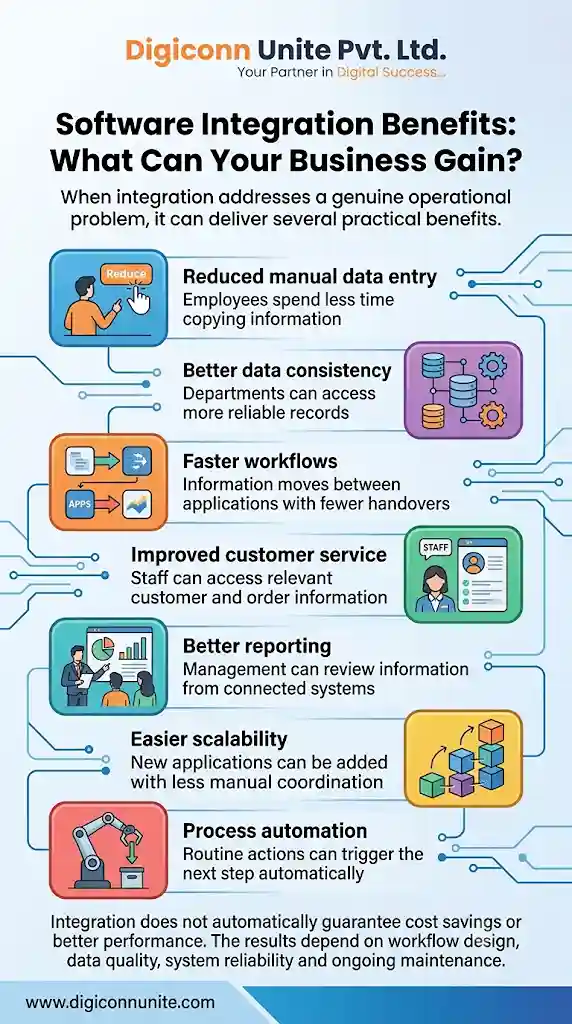
When integration addresses a genuine operational problem, it can deliver several practical benefits.
| Benefit | Business impact |
|---|---|
| Reduced manual data entry | Employees spend less time copying information |
| Better data consistency | Departments can access more reliable records |
| Faster workflows | Information moves between applications with fewer handovers |
| Improved customer service | Staff can access relevant customer and order information |
| Better reporting | Management can review information from connected systems |
| Easier scalability | New applications can be added with less manual coordination |
| Process automation | Routine actions can trigger the next step automatically |
Integration does not automatically guarantee cost savings or better performance. The results depend on workflow design, data quality, system reliability and ongoing maintenance.
Step-by-Step Checklist: How to Decide What to Integrate First
Connecting every application at once can increase project cost and complexity. Start with the workflow causing the greatest operational difficulty.
Step 1: List Your Current Business Applications
Create an inventory of the software used by each department.
For example:
-
Sales: CRM and lead management.
-
Accounts: Accounting and invoicing.
-
Operations: ERP and inventory.
-
Customer service: Helpdesk and communication tools.
-
Management: Reporting and analytics.
Record the purpose, owner and critical data of each application.
Step 2: Identify Repeated Manual Tasks
Ask employees which information they regularly copy between systems.
Look for:
-
Duplicate customer entry.
-
Manual order updates.
-
Spreadsheet-based stock reconciliation.
-
Repeated invoice creation.
-
Manual report preparation.
Record how often each task occurs and how much time it takes.
Step 3: Identify the Most Important Data
Decide which information needs to move between systems.
Examples include:
-
Customer ID and contact information.
-
Order number and order status.
-
Product ID and stock quantity.
-
Invoice number and payment status.
-
Employee ID and department details.
Also decide which application is responsible for maintaining each record.
Step 4: Check Integration Options
Before developing a custom solution, check whether the applications already support:
-
REST or other suitable APIs.
-
Webhooks.
-
Pre-built connectors.
-
Scheduled data exports and imports.
-
Secure database or file exchange options.
Choose the approach based on technical requirements, cost, reliability and maintenance needs.
Step 5: Run a Small Pilot
Start with one important workflow instead of integrating the entire business at once.
For example, connect your website enquiry form with your CRM and test whether new leads arrive correctly.
Check data accuracy, duplicate handling, processing time and error notifications before expanding the integration.
Step 6: Add Monitoring and Error Handling
An integration is not complete simply because two applications exchange information.
Plan for:
-
Failed API requests.
-
Expired authentication credentials.
-
Duplicate events.
-
Missing or invalid data.
-
Delayed updates.
-
Application downtime.
-
Safe retry and recovery procedures.
Maintain logs so your team can identify what failed and whether an event was successfully processed.
Step 7: Measure the Results
Compare the workflow before and after integration.
Track metrics such as:
-
Manual data-entry time.
-
Processing time per order.
-
Duplicate record rate.
-
Failed transaction count.
-
Report preparation time.
-
Customer response time.
This gives management a practical way to judge whether the integration is delivering value.
When Should You Choose Custom Software Integration?
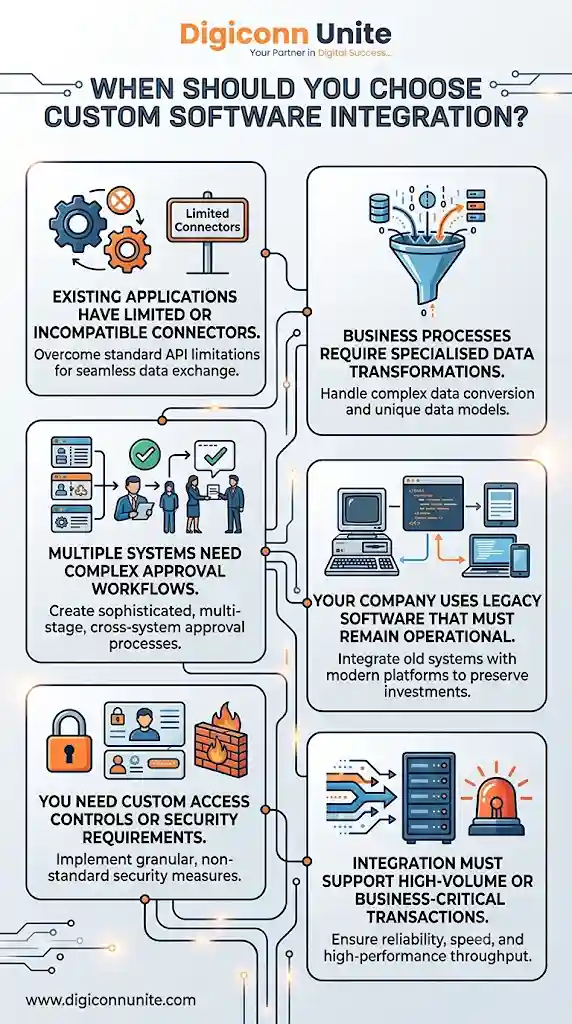
Pre-built connectors and automation platforms can be suitable when your applications support the required workflow and the business rules are straightforward.
Custom software integration may be more appropriate when:
-
Existing applications have limited or incompatible connectors.
-
Business processes require specialised data transformations.
-
Multiple systems need complex approval workflows.
-
Your company uses legacy software that must remain operational.
-
You need custom access controls or security requirements.
-
Integration must support high-volume or business-critical transactions.
A custom solution should not be the automatic first choice. Compare the long-term cost of development, hosting, monitoring and maintenance against the available alternatives.
You May Like Also: Custom Software vs Ready-Made Software: Which Is Better?
Common Software Integration Mistakes to Avoid
Integrating everything at once: Start with high-value workflows and expand after testing.
Ignoring data quality: Connecting applications does not automatically correct inaccurate customer or product records.
Failing to define data ownership: Decide which application controls each important record before synchronising information.
Overlooking security: Use appropriate authentication, permissions, encryption and access controls.
Ignoring failed transactions: Build monitoring and recovery processes so missing updates do not remain unnoticed.
Creating unnecessary real-time updates: Some reports and administrative processes work perfectly well with scheduled synchronisation. Use real-time integration only when the business actually needs it.
How Digiconn Unite Can Help with Software Integration
If disconnected applications are slowing down your business, Digiconn Unite can help you explore software development and integration solutions based on your operational requirements.
As a software development company, Digiconn Unite can help assess existing workflows, identify integration opportunities and plan solutions that connect relevant business applications.
Potential areas of support include:
-
Custom software development.
-
API integration and application connectivity.
-
CRM, ERP and business workflow integration.
-
Database connectivity and data synchronisation.
-
Custom automation solutions.
-
Integration planning for growing businesses.
The objective is to reduce unnecessary manual work while keeping your existing business processes reliable and manageable.
Contact Digiconn Unite to discuss your software requirements and identify a suitable approach to connecting your business applications.
Final Thoughts
Your business may not need another software subscription. It may need the applications you already use to communicate more effectively.
Repeated data entry, inconsistent records, manual reporting, delayed customer updates and difficult software onboarding are signs worth investigating.
Start by identifying one workflow that wastes time or creates errors. Define the information that needs to move, choose the right integration method, test it carefully and measure the results.
Good software integration is not about connecting the most applications. It is about making the most important business processes work reliably with less manual effort.
Frequently Asked Questions
1. What is software integration?
Software integration is the process of connecting different applications so they can exchange information and coordinate business workflows. It can involve APIs, middleware, webhooks, integration platforms or custom development.
2. What are the main benefits of software integration?
The main benefits include reduced manual data entry, better data consistency, faster workflows, improved reporting, easier communication between departments and more efficient business operations.
3. How do I know if my business needs software integration?
Look for repeated data entry, conflicting records, manual spreadsheet reporting, delayed updates and difficulty connecting newly purchased applications. These are practical signs that your systems may need better communication.
4. What is the difference between API integration and software integration?
Software integration is the broader process of connecting applications and workflows. API integration is one method of doing this, using application programming interfaces to allow systems to exchange data or request services.
5. Is custom software integration better than using pre-built connectors?
Not always. Pre-built connectors can be more practical for common workflows, while custom integration is useful when business rules, legacy applications or specialised requirements cannot be handled by existing connectors.
6. Can software integration connect old and new applications?
Yes, provided the applications expose a suitable way to exchange information. APIs, middleware, database interfaces, file exchange and custom adapters can sometimes connect legacy systems with modern cloud applications.
7. Does software integration improve data accuracy?
It can reduce errors caused by repeated manual entry and help synchronise information. However, existing incorrect records, inconsistent formats and poorly defined data ownership must also be addressed.
8. How much does business software integration cost?
The cost depends on the number of applications, available APIs, workflow complexity, security requirements, data volume and ongoing maintenance needs. A technical assessment is the best way to estimate the scope.
Our Social Links:
Related Topics
Explore more about software development:
