


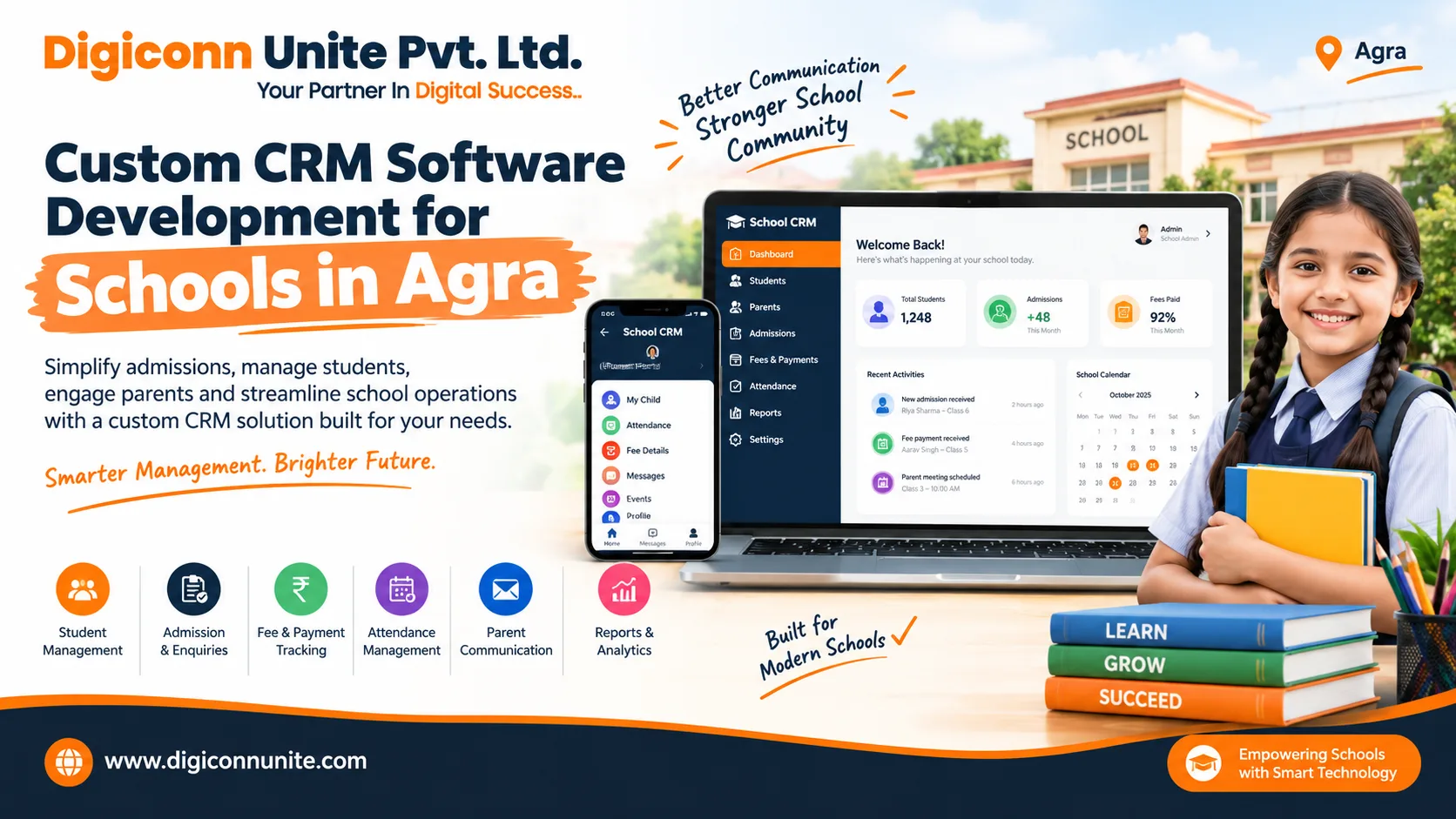
Custom CRM Software for Schools in Agra
Schools manage much more than classroom teaching. Their daily responsibilities include admission enquiries, parent communication, student records, fee follow-ups, attendance updates, and administrative reporting. When these activities depend on spreadsheets, paper registers, and separate applications, staff may spend valuable time searching for information instead of supporting students and parents.
Custom CRM Software Development for schools in Agra helps educational institutions bring important communication and relationship-management activities into one organised digital system. A school can build software around its admission process, parent communication needs, fee follow-ups, and administrative workflows instead of adjusting every process to fit a generic platform.
Schools looking for the Best Custom CRM Software Development Company in Agra should compare providers on requirements analysis, software quality, security, transparent pricing, implementation support, and long-term maintainability—not just on the number of features advertised.
Visit the Digiconn Unite website to discuss your software requirements and explore the next steps for a custom solution.
Quick Answer
Custom CRM software for schools is a tailored digital system that helps schools manage admission enquiries, prospective students, parent communication, follow-up reminders, student information, and administrative reports. Unlike a standard CRM, a custom solution can be designed around a school's specific processes, user roles, communication preferences, and integration requirements. Schools in Agra can plan a solution that supports their existing workflows and expands as their needs change.
Key Takeaways
-
Manage admissions: Track enquiries from the first phone call to campus visits and confirmed admissions.
-
Improve parent communication: Organise notices, follow-ups, meeting reminders, and communication history.
-
Reduce repetitive work: Automate suitable reminders, task assignments, and routine notifications.
-
Keep information organised: Maintain controlled access to student, parent, and enquiry records.
-
Connect school systems: Integrate the CRM with existing school management software, websites, or payment systems where technically feasible.
-
Plan for security: Use role-based access, secure authentication, backups, and appropriate data protection practices.
-
Choose the right development partner: Define requirements, budget, implementation stages, support, and ownership before development begins.
What Is Custom CRM Software Development for Schools?
CRM stands for Customer Relationship Management. In an educational setting, it focuses on the relationships a school maintains with prospective students, parents, existing families, and other relevant stakeholders.
Custom CRM software development involves designing and building a system around a school's particular requirements. The software may include admission enquiry tracking, parent contact records, communication history, follow-up schedules, dashboards, and reporting tools.
For example, a school in Agra might receive admission enquiries through its website, telephone calls, walk-in visits, referrals, and digital marketing campaigns. A custom CRM can bring these enquiries into a single dashboard, assign them to admission counsellors, and help the team track the next action.
The exact features depend on the school's requirements. Some institutions may need only an admissions CRM, while others may want a wider platform connected to student management, fee administration, attendance, or parent portals.
Why Do Schools in Agra Need Custom CRM Software?
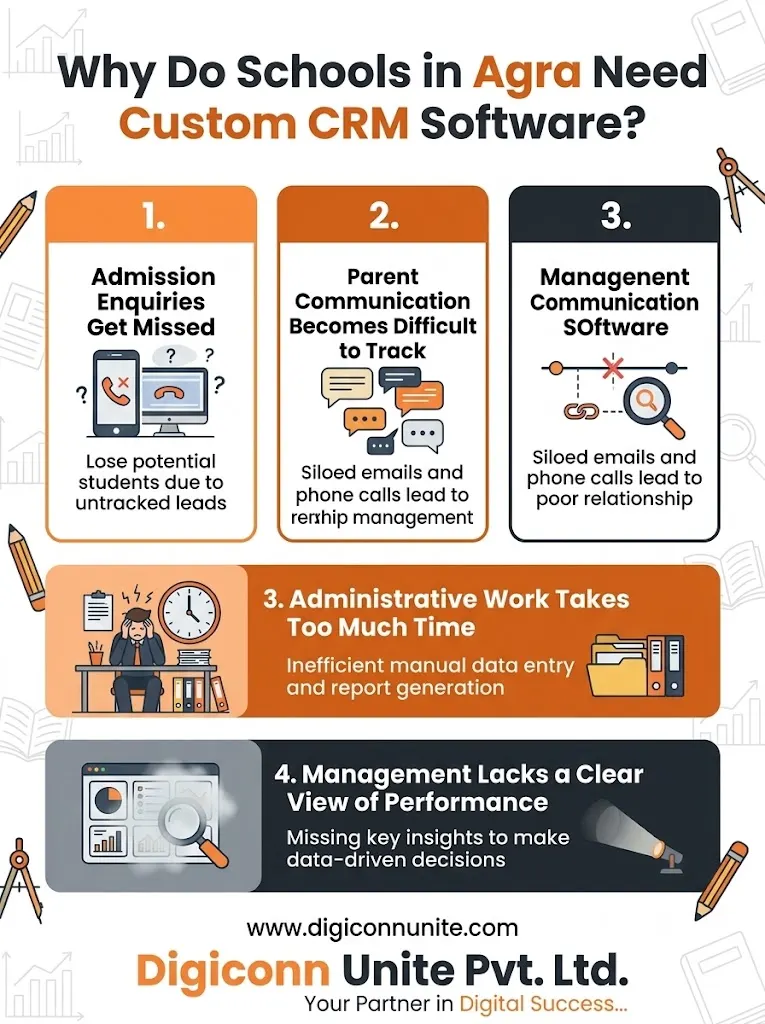
Schools can have different admission processes, academic calendars, fee policies, communication preferences, and administrative structures. A system that works for one institution may not fit another without significant configuration.
Here are some common challenges a custom CRM can address.
1. Admission Enquiries Get Missed
When staff record enquiries in different registers or spreadsheets, it can become difficult to see who contacted a family, whether a campus visit was scheduled, or when the next follow-up is due.
A CRM can organise enquiries into stages such as:
-
New enquiry
-
Contacted
-
Counselling scheduled
-
Campus visit completed
-
Application submitted
-
Admission confirmed
-
Follow-up required
This gives admission teams a clearer view of pending work and helps them follow up consistently.
2. Parent Communication Becomes Difficult to Track
Schools regularly communicate about admissions, meetings, documents, events, fee deadlines, and other important updates. When messages are spread across multiple channels, staff may struggle to find previous conversations.
A custom CRM can maintain a communication history and help authorised staff identify which updates have been sent. Depending on the school's requirements, it may connect with email, SMS, or approved messaging services.
3. Administrative Work Takes Too Much Time
Staff may repeatedly enter the same contact information, prepare reports manually, and send similar reminders to multiple families.
A properly designed CRM can reduce repetitive tasks through scheduled reminders, reusable templates, automatic task assignments, and standardised reports. Staff can then spend more time on activities that require personal attention.
4. Management Lacks a Clear View of Performance
School leaders need reliable information to understand the status of admissions and administrative activities. If reports are prepared manually from different files, it can take time to identify outstanding enquiries or follow-up delays.
A CRM dashboard can show metrics such as enquiry sources, pending follow-ups, scheduled visits, applications received, and confirmed admissions. These reports support planning, although the quality of the insights depends on accurate data entry and clearly defined processes.
Essential Features of Custom CRM Software for Schools
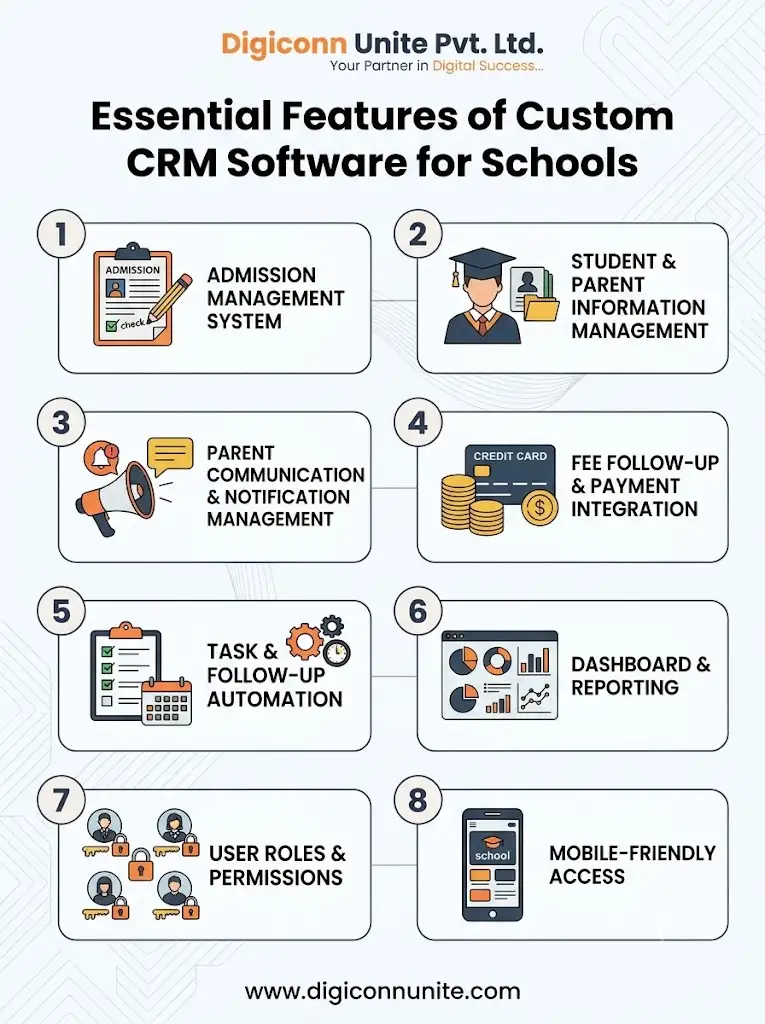
The best feature set is not necessarily the largest one. Schools should prioritise the modules that solve their most important operational problems.
1. Admission Management System
Admission management is often the main reason a school considers a CRM.
Useful features include:
-
Online enquiry forms
-
Lead capture from approved channels
-
Enquiry categorisation and source tracking
-
Counsellor assignment
-
Follow-up reminders
-
Campus visit scheduling
-
Application status tracking
-
Document checklist management
-
Admission conversion reports
For example, an enquiry received through a school's website could automatically enter the CRM, receive a reference number, and appear in the assigned counsellor's task list.
2. Student and Parent Information Management
A central record helps authorised staff find relevant information without searching multiple documents.
Depending on the school's needs, records may include parent contact details, enquiry history, student applications, class information, communication preferences, and relevant administrative documents.
Schools should collect only the information needed for a defined purpose. Access to sensitive student information should be limited to authorised users.
3. Parent Communication and Notification Management
A custom CRM can help schools organise communication through supported channels, such as email, SMS, and messaging integrations.
Possible features include:
-
Admission follow-up messages
-
Campus visit reminders
-
Parent-teacher meeting notifications
-
Important announcement templates
-
Communication history
-
Delivery or status tracking where supported
-
Language-specific message templates
If WhatsApp integration is required, the development plan should account for the official platform's applicable policies, templates, permissions, and messaging costs.
You May Like Also: Role of Business Management Software for Small Business in Agra
4. Fee Follow-Up and Payment Integration
Some schools want their CRM to support fee-related communication. This can include reminders for upcoming deadlines, tracking follow-up tasks, and directing parents to an existing payment portal.
A CRM can also connect with a school management or accounting system to display authorised payment-status information. However, a full fee ledger, accounting module, or payment gateway is a separate scope of work unless explicitly included.
The system should not expose financial information to staff who do not need it.
5. Task and Follow-Up Automation
Automation helps teams maintain consistent processes without relying entirely on memory.
A school may configure the CRM to:
-
Assign new enquiries to an admission counsellor
-
Create a task when an enquiry remains unanswered
-
Remind staff about scheduled campus visits
-
Notify a supervisor about overdue tasks
-
Generate weekly enquiry reports
-
Escalate selected cases according to school policy
Automation rules should be tested before launch. Staff should also be able to correct records and manage exceptional cases.
6. Dashboard and Reporting
A useful dashboard should help each user understand what requires attention.
School management may need admission trends and team performance reports. Counsellors may need a list of today's follow-ups. Front-office staff may need enquiry records and visit schedules.
Common reports include:
-
Enquiries by source
-
Enquiries by class or academic session
-
Pending follow-ups
-
Campus visits scheduled and completed
-
Applications received
-
Admission conversion rates
-
Counsellor workload
-
Response time to new enquiries
The school should define each metric clearly. For example, admission conversion rate should use a consistent definition of what counts as an enquiry and what counts as a confirmed admission.
7. User Roles and Permissions
A school CRM may serve administrators, admission counsellors, front-office employees, management, and other authorised staff.
Role-based access helps ensure that each user sees only the information needed for their responsibilities. Permissions should cover viewing, editing, exporting, and deleting records where applicable.
The system can also maintain audit logs for important actions, making it easier to review changes and investigate errors.
8. Mobile-Friendly Access
School administrators and admission teams may need to check enquiries or update tasks while away from their desks.
A responsive web application can support mobile browsers. If the school requires a dedicated Android or iOS app, that should be planned separately, including maintenance, notifications, authentication, and app-store requirements.
Custom School CRM vs Standard CRM vs School ERP
These terms are related, but they do not describe exactly the same thing.
| System | Main purpose | Typical functions |
|---|---|---|
| Standard CRM | General relationship management | Contacts, sales pipelines, tasks, follow-ups |
| Custom school CRM | School-specific relationships and admissions | Enquiries, admission stages, parent communication, school workflows |
| School ERP | Broader school administration | Fees, attendance, examinations, timetables, payroll, and other operational modules |
A school may need only a CRM if its main challenge is admission follow-up and parent communication. An institution that wants to manage academic operations, attendance, fee accounting, and staff administration may need a wider school ERP.
Another option is to develop a custom CRM that integrates with an existing ERP. This can reduce duplication and avoid replacing systems that already work well.
Before choosing, list the school's current software, the data each system stores, and the problems that need to be solved.
How Custom CRM Software Development Works
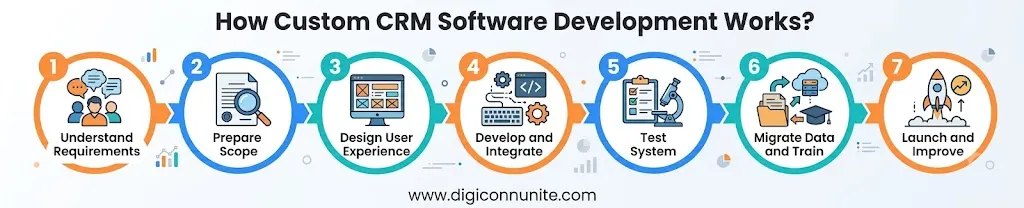
A structured development process helps avoid unnecessary features, unclear costs, and delays.
Step 1: Understand the School's Requirements
The development team should discuss the school's size, number of campuses, admission process, user roles, current tools, and communication needs.
It is useful to map the current process from enquiry to admission and identify where information gets lost or work is repeated.
Step 2: Prepare the Scope and Feature List
Separate the requirements into three groups:
-
Essential: Features required for the first release.
-
Important: Features that should follow soon after launch.
-
Optional: Advanced capabilities that can wait until the core system works well.
This approach helps the school prioritise its budget.
Step 3: Design the User Experience
The interface should be easy for staff to learn. Common actions, such as adding an enquiry, scheduling a visit, and recording a follow-up, should be straightforward.
Designers should consider the needs of different users, mobile access, accessibility, and the language preferences of the school's team.
Step 4: Develop and Integrate the Software
Developers build the approved modules and connect them with required systems. Integrations may include a website enquiry form, email service, messaging provider, payment gateway, or existing school ERP.
Every integration should be confirmed for technical compatibility, access permissions, and ongoing charges before development begins.
Step 5: Test the System
Testing should cover normal workflows, incorrect inputs, user permissions, reports, mobile screens, notifications, and recovery from errors.
The school should also verify that users cannot access records outside their assigned permissions.
Step 6: Migrate Data and Train Staff
If the school already uses spreadsheets or another CRM, relevant data may need to be cleaned, checked, and migrated.
Training should explain how to add records, update admission stages, handle duplicate enquiries, create reports, and protect personal information.
Step 7: Launch, Review, and Improve
A phased launch can help the school identify issues before the software is used across every department. After launch, the team should monitor adoption, system errors, support requests, and the outcomes the CRM was designed to improve.
Data Security and Privacy for School CRM Software
School systems can contain personal information about children, parents, and employees. Security should be considered during planning, not added only at the end.
A responsible development plan should consider:
-
Secure authentication and appropriate password policies
-
Role-based permissions
-
Encryption in transit and, where appropriate, at rest
-
Regular backups and tested recovery procedures
-
Audit logs for sensitive actions
-
Secure handling of file uploads and exports
-
Data retention and deletion procedures
-
Vendor access controls
-
Incident response and security updates
-
Clear rules for sharing information with third parties
Schools should also review the applicable Indian data protection requirements, including relevant provisions of the Digital Personal Data Protection Act, 2023 and any rules or commencement notifications in force at the time of implementation. Requirements can depend on the data, the parties involved, and the system's use, so schools should obtain appropriate legal guidance where necessary.
If a cloud service is used, confirm where data is hosted, which subcontractors may access it, how backups work, and what happens when the contract ends.
How Much Does Custom CRM Software Development for Schools in Agra Cost?
There is no single price for every school CRM project. Cost depends on the number of features, complexity of the workflows, integrations, user roles, data migration, security requirements, and long-term support.
The following factors typically influence the development budget:
| Cost factor | Why it matters |
|---|---|
| Number of modules | More modules require additional design, development, and testing |
| Custom workflows | Special admission stages or approval rules need extra configuration |
| Integrations | External systems may require API access, testing, and provider fees |
| Mobile applications | Separate native apps can add significant development and maintenance work |
| Data migration | Cleaning and transferring existing records takes time |
| Security requirements | Permissions, audit trails, testing, and recovery plans need proper planning |
| Support and hosting | Ongoing maintenance, infrastructure, monitoring, and updates affect total ownership cost |
A school should request a written quotation based on an agreed feature list rather than comparing prices without checking what is included.
For a broader discussion of software budgets, read the internal article “Custom Software Development Cost in Agra”. It can help school administrators understand the factors that influence the cost of a tailored solution.
How to Choose the Right CRM Software Development Company in Agra
Choosing a development partner involves more than comparing quotations. The company should understand the school's workflow and explain how the proposed system will solve specific problems.
Use this checklist before making a decision:
-
Requirements discovery: Will the team study your existing admission and communication processes?
-
Clear scope: Are the included features, exclusions, milestones, and deliverables documented?
-
Technical approach: Can the company explain the software architecture, integrations, hosting, and maintenance?
-
Security planning: Are user permissions, backups, testing, and data handling covered?
-
Testing and training: Will school staff have time to test the system and learn how to use it?
-
Ownership: Will the contract clarify source code, licences, hosting access, and ownership of school data?
-
Ongoing support: Are bug fixes, updates, response times, and future enhancements defined?
-
Scalability: Can the system support additional users, modules, or campuses if requirements grow?
For more guidance, read “How Choose a Software Development Partner in Uttar Pradesh”. The article can support your evaluation of development experience, project communication, technical planning, and post-launch support.
How Digiconn Unite Can Help with Custom CRM Software Development
Digiconn Unite works in digital and software-related services, and schools considering a tailored CRM can use an initial consultation to define their requirements, priorities, and potential development scope.
The right solution should begin with the school's actual operational needs. For one institution, this may mean a focused admissions dashboard and follow-up reminders. Another may require parent communication, reporting, multiple user roles, and integration with existing management software.
When discussing a project with Digiconn Unite, schools can prepare a list of current problems, the systems they already use, their essential features, and their expected budget. This makes it easier to evaluate a suitable technical approach before development starts.
Conclusion
Custom CRM software can help schools organise admissions, maintain parent communication records, manage follow-ups, and gain better visibility into administrative activities. The best solution is one that fits the school's actual workflows, protects sensitive information, and remains manageable as requirements evolve.
Before investing, define the main problem, prioritise essential features, review security requirements, and compare development proposals carefully. With a clear scope and a structured implementation plan, schools can make a more informed decision about custom CRM software development.
If your institution is exploring a tailored solution, contact Digiconn Unite to discuss your requirements and determine the appropriate next steps.
Frequently Asked Questions
1. What is custom CRM software for schools?
Custom CRM software is a system designed around a school's specific needs for managing admission enquiries, parent relationships, follow-ups, communication history, and related workflows. It can be developed as a standalone CRM or integrated with existing school software.
2. How can a school CRM improve admissions?
A school CRM records enquiries, assigns responsibility to staff, tracks admission stages, schedules follow-ups, and produces reports. These features help the admission team manage its workload and reduce the chance of enquiries being overlooked.
3. Can custom CRM software integrate with existing school management software?
Yes, if the existing platform provides suitable APIs, supported exports, or other integration methods. The development team should check compatibility, access permissions, data mapping, and any additional provider charges before confirming the integration scope.
4. Can parents receive updates through a school CRM?
A CRM can support parent notifications through configured email, SMS, or approved messaging integrations. The available channels depend on the school's requirements, provider capabilities, permissions, and applicable messaging policies.
5. Is custom CRM software suitable for small schools?
Yes. A smaller school may start with essential features such as enquiry tracking, contact management, follow-up reminders, and basic reporting. Additional modules can be introduced later if they provide clear value.
6. How long does custom CRM software development take?
The timeline depends on the scope, integrations, design complexity, data migration, testing, and approval process. A focused first release generally requires less time than a complete school management platform. A development company should provide an estimated timeline after reviewing the requirements.
7. How much does school CRM software cost in Agra?
The cost varies according to the required modules, integrations, mobile features, security controls, and ongoing support. Schools should request a detailed quotation with clear inclusions, exclusions, milestones, and maintenance terms.
8. Is school CRM software secure?
Security depends on how the software is designed, configured, hosted, and maintained. Schools should ask about authentication, role-based access, encryption, backups, audit logs, data retention, and incident response before approving a system.
9. What is the difference between school CRM and school ERP?
A school CRM focuses mainly on relationships, admission enquiries, communication, and follow-ups. A school ERP usually covers wider operations such as fees, attendance, examinations, payroll, transport, and administration. Some platforms combine both.
10. Why should schools consider a custom CRM development company in Agra?
A suitable development partner can work with the school to understand its processes, document requirements, plan integrations, and provide implementation support. Local availability may make meetings easier, but schools should also evaluate technical capability, security practices, communication, and long-term support.
Explore This: Top 10 Leading Software Development Companies in Agra
Our Social Links:
Related Topics
Explore more about software development:
