


Advantages and Disadvantages of Custom Software
Custom software is useful when your business needs technology built around its specific workflows, customers and operational requirements. It offers greater flexibility, control and integration than many ready-made applications, but it also requires a higher initial investment, careful planning, ongoing maintenance and responsibility for future updates. The right choice depends on whether the business value of a tailored solution justifies its total cost of ownership.
If you are considering software for managing customers, employees, inventory, bookings, accounts or business operations, understanding the advantages and disadvantages of custom software can help you avoid an expensive development mistake.
Need Custom Software for Your Business?
Looking for a reliable Software Development Company in Agra? Digiconn Unite helps businesses plan and develop custom software solutions tailored to their workflows, operational needs and growth goals.
Whether you need CRM, ERP, inventory management software or a customised business application, our team can help you identify the right development approach.
Discuss your software project with Digiconn Unite today and take the first step towards a solution built around your business.
Quick Answer
Custom software is developed specifically for a business or organisation rather than being sold as a general-purpose product. Its main advantages include tailored features, better workflow alignment, scalability, integration flexibility and greater control over data and functionality.
Its disadvantages include development costs, longer delivery time, maintenance responsibilities, technical risks and dependence on a development team. Custom software is most suitable when existing applications cannot efficiently support important business requirements.
Key Takeaways
-
Custom software can match your existing business processes instead of forcing you to change them.
-
You can prioritise features and add functionality as your business grows.
-
Initial development costs are generally higher than subscribing to ready-made software.
-
Your business becomes responsible for maintenance, updates and security planning.
-
Poor requirement planning can lead to delays, extra costs and unnecessary features.
-
Custom software is not automatically more secure or cheaper in the long term.
-
A small pilot or minimum viable product (MVP) can reduce investment risk.
What Is Custom Software?
Custom software is an application designed and developed to meet the specific needs of a business, department or group of users.
Unlike off-the-shelf software, which offers standard features to a broad audience, custom software is built around defined requirements.
For example, a logistics company may need a system that connects order management, vehicle tracking, delivery scheduling, customer notifications and reporting. If available applications cannot handle these processes together, a custom solution may be worth considering.
Common examples include:
-
Customer Relationship Management (CRM) systems.
-
Enterprise Resource Planning (ERP) software.
-
Inventory and warehouse management systems.
-
Hospital and clinic management applications.
-
School and education management systems.
-
Booking and appointment platforms.
-
Custom e-commerce applications.
-
Employee and payroll management systems.
Explore this also: How Much Does It Cost to Develop School Management Software
Advantages of Custom Software
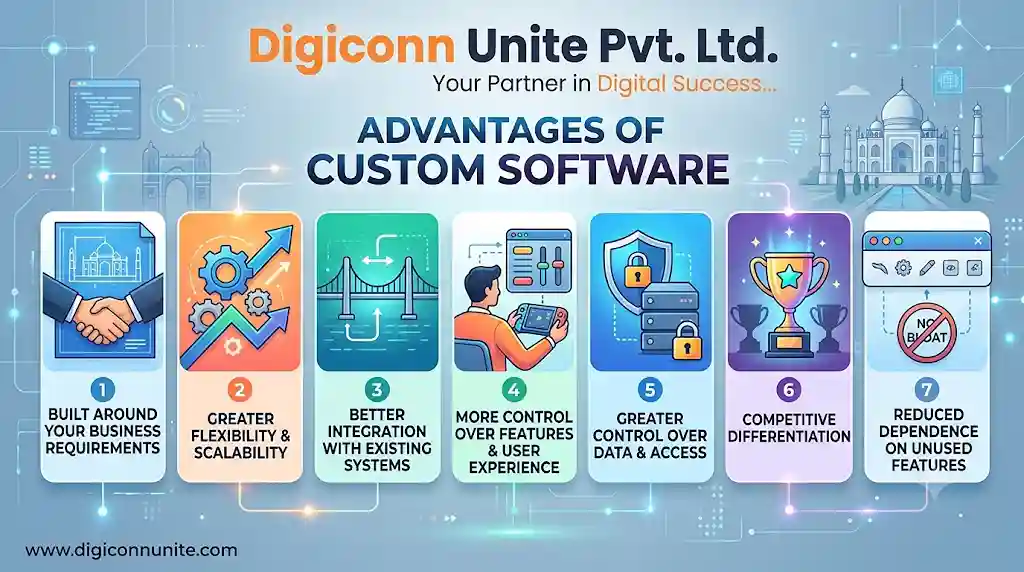
1. Built Around Your Business Requirements
The biggest advantage of custom software is that its features can be designed around your actual business processes.
Ready-made applications often include features you never use while missing functions your team needs every day.
A custom system allows you to define user roles, approval processes, reports, dashboards and workflows according to your operations.
Example: A manufacturing business may need different approval stages for purchasing raw materials, checking stock, processing production and dispatching orders. Custom software can connect these stages in one workflow.
2. Greater Flexibility and Scalability
Business requirements change as a company grows. You may add employees, open new locations, introduce services or manage a larger customer base.
Custom software can be planned with future requirements in mind.
You may be able to add:
-
New user roles and permissions.
-
Additional branches or departments.
-
New reports and dashboards.
-
More integrations.
-
Automated business workflows.
-
Additional customer-facing features.
Scalability still depends on the application's architecture, infrastructure and development quality. Custom software does not automatically scale well simply because it is custom-built.
3. Better Integration With Existing Systems
Businesses often use multiple tools for accounting, customer management, communication, inventory and payments.
When these systems do not communicate properly, employees may have to enter the same information repeatedly.
Custom software can integrate with suitable third-party services through APIs and other supported methods.
For example, an e-commerce business may connect its custom order management system with payment gateways, shipping services, accounting software and customer notifications.
Before development, check whether each third-party provider offers the required API access, permissions and integration capabilities.
4. More Control Over Features and User Experience
A ready-made application may have a fixed interface and workflow. Custom development gives you more control over how users interact with the system.
You can prioritise features based on actual employee and customer needs.
A useful approach is to keep frequently used actions simple, reduce unnecessary screens and make important information easy to access.
This can improve usability and reduce the amount of training required.
5. Greater Control Over Data and Access
Custom software gives your business more control over how information is collected, stored, accessed and processed.
You can define:
-
User roles and permissions.
-
Approval requirements.
-
Data access restrictions.
-
Audit logs.
-
Backup procedures.
-
Data retention policies.
However, custom development does not guarantee better security. The application still needs secure coding, authentication, access controls, encryption where appropriate, testing and regular updates.
6. Competitive Differentiation
Sometimes a business has a process that competitors cannot easily reproduce using standard applications.
A custom platform can support that process and help the company deliver a distinctive customer experience.
For example, a travel company may build a booking platform that combines customised itineraries, customer preferences, availability and internal booking management.
The advantage comes from the business process and how effectively the software supports it, not simply from owning a custom application.
7. Reduced Dependence on Unused Software Features
Many ready-made applications charge based on users, feature tiers, usage or subscriptions.
A custom solution allows you to focus development on the functionality your business actually needs.
However, this does not mean custom software is always cheaper. Hosting, maintenance, developer support, security updates and future improvements must be included when comparing costs.
Disadvantages of Custom Software
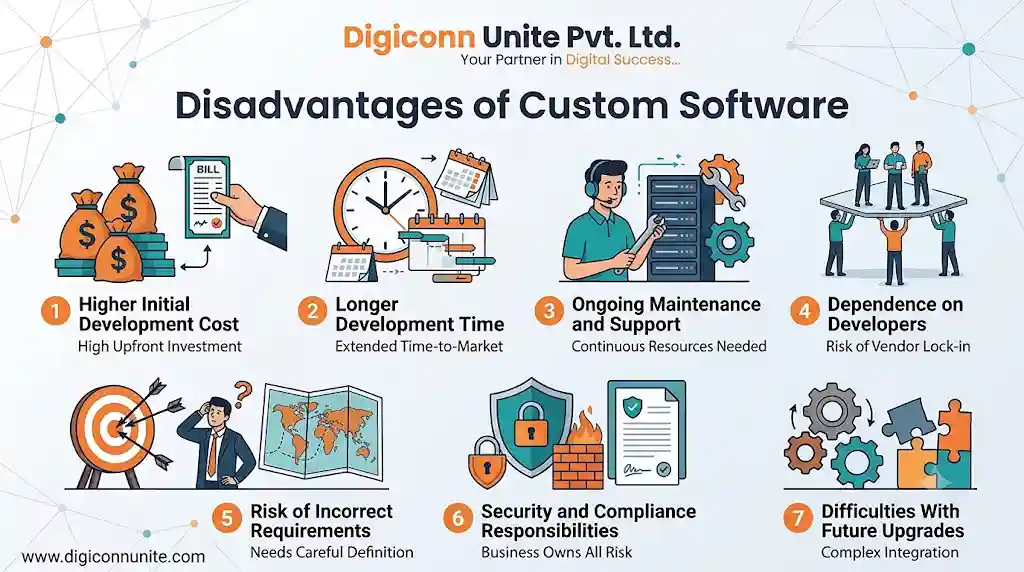
1. Higher Initial Development Cost
Custom software requires planning, design, development, testing and deployment. These activities can make the initial investment higher than purchasing a ready-made application.
The cost depends on factors such as:
-
Number and complexity of features.
-
Web, mobile or desktop requirements.
-
Integrations with third-party systems.
-
User roles and permissions.
-
Security and compliance requirements.
-
Testing and deployment needs.
Practical advice: Separate essential features from optional features before requesting a development proposal. This prevents spending money on functions that do not solve an immediate business problem.
2. Longer Development Time
Ready-made software can often be configured and used quickly. Custom applications need a development cycle.
A typical process includes requirement gathering, UI/UX design, architecture planning, development, testing, deployment and ongoing improvements.
If requirements keep changing during development, delivery may take longer.
A phased development approach can help. Start with the most important business workflow, test it with real users and add further features after receiving feedback.
3. Ongoing Maintenance and Support
Custom software needs attention after launch.
Your business may need to manage:
-
Bug fixes.
-
Security patches.
-
Server and database maintenance.
-
Browser and operating system compatibility.
-
API changes.
-
Performance improvements.
-
Backup and recovery testing.
If the original development team is unavailable, finding developers who understand the codebase may also take time.
Make sure your agreement explains source-code ownership, documentation, maintenance responsibilities and support arrangements.
4. Dependence on Developers
Custom software creates a technical dependency on the people who build and maintain it.
If documentation is incomplete or the code is difficult to understand, switching developers can become expensive.
Reduce this risk by asking for:
-
Access to the source code and repository.
-
Technical documentation.
-
Database structure documentation.
-
Deployment instructions.
-
API documentation.
-
Admin access and credentials under your control.
-
A clear handover process.
Avoid keeping your entire business system dependent on one developer's personal knowledge.
5. Risk of Incorrect Requirements
A development project can fail even when the developers write good code.
One common reason is that the business has not clearly explained what the software needs to accomplish.
For example, a company may request an inventory management system without defining how stock returns, damaged products, branch transfers and purchase approvals should work.
These missing details can lead to rework and unexpected expenses.
Solution: Document real workflows before development. Involve the employees who will use the system every day, not only senior management.
6. Security and Compliance Responsibilities
With custom software, your organisation must ensure that appropriate security practices are followed.
A poorly designed application may expose sensitive business or customer information.
Security planning should cover authentication, authorisation, secure API access, data validation, logging, backups, vulnerability testing and incident response.
If your software processes personal or regulated information, identify applicable legal and industry requirements before development.
7. Difficulties With Future Upgrades
A custom application may rely on particular frameworks, libraries, APIs or infrastructure.
When these technologies change, the software may require upgrades to remain compatible and secure.
Using outdated technology or building without clear documentation can make future changes more difficult.
Choose maintainable technology and agree on an upgrade and support plan before launch.
Custom Software vs Off-the-Shelf Software
The right choice depends on your requirements, budget, processes and future plans.
| Comparison | Custom Software | Off-the-Shelf Software |
|---|---|---|
| Development | Built for specific requirements | Already developed |
| Initial cost | Usually higher | Usually lower |
| Setup time | Requires development | Often quicker to configure |
| Features | Tailored to business needs | Standard feature set |
| Flexibility | Can be customised | Depends on vendor options |
| Integrations | Can be designed for required integrations | Limited to supported integrations |
| Maintenance | Your responsibility or contracted support | Usually managed by the vendor |
| Scalability | Depends on architecture and infrastructure | Depends on vendor plans and limits |
| Ownership | Depends on the development agreement | Usually licensed or subscribed |
| Best suited for | Unique or complex workflows | Common business requirements |
A useful insight: The best solution may be neither fully custom nor fully off-the-shelf. A business can use an established platform for standard functions and build custom modules only for the processes that make its operations different.
This hybrid approach can reduce unnecessary development while preserving flexibility.
Explore more Insightful: Custom Software vs Ready-Made Software: Which Is Better
When Should a Business Choose Custom Software?
Custom development is worth evaluating when:
-
Your existing software cannot support important workflows.
-
Employees repeatedly transfer data between disconnected applications.
-
Standard applications lack essential features.
-
You need integrations that available products cannot provide.
-
Your business has specific reporting or approval requirements.
-
Software limitations are affecting customer experience or operational efficiency.
-
You expect long-term use and can support ongoing maintenance.
It may not be the right choice when your needs are basic, your budget is very limited or an existing application already handles your requirements effectively.
A Practical Checklist Before Investing in Custom Software
Use this checklist before approving a development project.
| Step | Question to ask | Why it matters |
|---|---|---|
| 1. Define the problem | What business problem must the software solve? | Prevents unnecessary development |
| 2. Review existing tools | Can an existing product handle the requirement? | Avoids reinventing standard features |
| 3. Identify users | Who will use the application? | Helps define roles and usability |
| 4. Prioritise features | Which functions are essential at launch? | Controls scope and cost |
| 5. Plan integrations | Which systems need to exchange data? | Reduces manual work |
| 6. Set security requirements | What information needs protection? | Helps manage technical and legal risks |
| 7. Estimate total cost | What will development, hosting and maintenance cost? | Avoids focusing only on initial investment |
| 8. Define ownership | Who owns the code, data and accounts? | Reduces vendor dependency |
| 9. Test with users | Can employees complete real tasks easily? | Identifies usability problems |
| 10. Plan support | Who will maintain the software after launch? | Protects long-term operations |
Counter-Intuitive Insights Businesses Often Miss
1. More Features Can Make Software Less Useful
Adding every requested feature may make the application harder to use and more expensive to maintain.
A focused application that solves five important problems well can deliver more value than a large system filled with rarely used functions.
2. Custom Software Can Increase Vendor Lock-In
Businesses sometimes assume custom software gives them complete independence. In reality, dependence can increase if the code, hosting, documentation and deployment process are controlled by one provider.
Protect your business with documented architecture, source-code access, clear ownership terms and a practical handover plan.
3. The Cheapest Development Proposal May Cost More Later
A proposal that excludes testing, documentation, backups, security reviews or maintenance may appear affordable initially.
Compare proposals based on the complete project scope and expected ongoing costs, not only the quoted development amount.
4. Automating a Bad Process Does Not Fix It
If your current approval process is confusing, turning it into software will simply make the confusing process digital.
Review and simplify the workflow before automating it.
5. You May Not Need to Build Everything From Scratch
Payment processing, authentication, email delivery and other common functions may be available through established services.
Using reliable third-party tools for standard capabilities can reduce development effort. Customise the parts that genuinely differentiate your business.
How to Reduce the Risks of Custom Software Development
Follow a controlled development process rather than trying to launch every feature at once.
-
Document requirements: Write down the problem, users, workflows and expected results.
-
Prepare a prototype: Review the screens and user journey before full development.
-
Build an MVP: Develop the smallest useful version that solves the main problem.
-
Test real workflows: Ask employees to perform actual tasks using sample data.
-
Review security: Check permissions, data protection, backups and vulnerabilities.
-
Deploy in phases: Introduce the application to a limited group before wider rollout.
-
Monitor performance: Track errors, usage, processing time and user feedback.
-
Plan improvements: Prioritise changes based on business value rather than adding features without a clear purpose.
How Digiconn Unite Can Help With Custom Software Development
If your business is evaluating a tailored application, choosing the right development partner is as important as choosing the technology.
Digiconn Unite helps businesses explore software solutions based on their operational requirements, workflows and long-term objectives. As a business looking for a Software Development Company in Agra, you can discuss your project requirements, application features, integration needs and development approach with the team.
The focus should be on building software that solves real operational problems, supports users and remains maintainable after launch.
Discuss your software requirements with Digiconn Unite to understand the right development approach for your business.
You May Visit Also: Custom Software Development Cost in Agra
Frequently Asked Questions
1. What are the main advantages of custom software?
The main advantages include tailored features, flexible workflows, integration options, greater control over functionality and the ability to support specific business requirements.
2. What are the biggest disadvantages of custom software?
The biggest disadvantages are higher initial costs, longer development time, ongoing maintenance, security responsibilities and possible dependence on the development team.
3. Is custom software better than ready-made software?
Not always. Custom software is useful when your business has unique or complex requirements. Ready-made software is often more practical when standard features already meet your needs.
4. Is custom software expensive to maintain?
Maintenance costs depend on the application's complexity, infrastructure, technology and support arrangements. Budget for bug fixes, security updates, hosting, backups and future improvements before starting development.
5. Who owns custom software after development?
Ownership depends on the contract. Before signing, clarify rights to source code, intellectual property, databases, documentation, design assets and third-party components.
6. Can custom software grow with a business?
Yes, if it is designed with suitable architecture, infrastructure and maintainable code. Future growth may still require additional development, testing and hosting resources.
7. What is an MVP in custom software development?
A Minimum Viable Product (MVP) is an early version of software containing the smallest set of features needed to solve a core problem. It allows a business to test the solution with real users before investing in a larger system.
8. How do I choose a custom software development company?
Review its technical capabilities, project process, communication, documentation practices, testing approach, support arrangements and source-code ownership terms. Ask how it will understand your requirements and manage changes during development.
Final Thoughts
Custom software can give a business better control over its workflows, features and integrations, but it also creates long-term responsibilities for maintenance, security and technical support.
Before investing, identify the problem, compare existing products, calculate the total cost of ownership and prioritise the features that will make a measurable difference.
The best software is not the one with the most features. It is the one that solves the right business problems reliably, securely and efficiently.
You May Read Also: ERP Software Cost for Footwear Manufacturing Industry in Agra
Our Social Links:
Related Topics
Explore more about software development:
